Disconnecting Constantly (7:11 error)
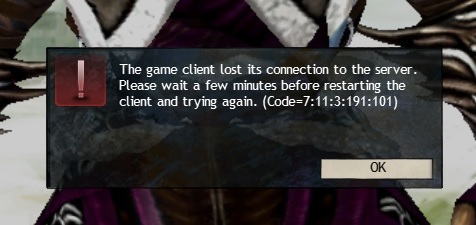
Started happening to me yesterday as well. Tried everything you have. FA Server.
WPS!
I cant even get past a loading screen without this happening. Every time I log in, I get the character screen, hit the character I want, and then – BOOM – client crash on a loading screen for Heart of the Mists.
WHAT THE KITTEN….. now I load fine but as soon as I try to perform even the simplest of skills, NOTHING.
Cmon ANET.
So, I have been encountering this issue (along intermittent severe skill lag) since Friday night. I have spent a bit of time looking into it, and I am not entirely convinced it is limited to only Anet. Here is what I have attempted and found.
1. Both Guild Wars 1 and Guild Wars 2 are experiencing the issue.
2. In guild wars 2, in low-population zones, the issue seems to occur far less frequently if at all.
3. I have tested two accounts on different servers (JQ, SBI) in PvE, WvW and EotM and all experience the intermittent severe skill lag and possible disconnection.
4. I have made no changes to my network in several weeks.
5. I powered off my modem for approximately three hours and the issue did not go away when I restarted it.
6. I attempted the standard client port, port 80, and port 443 with no change in behavior.
7. Several other games do not seem to experience the lag issue. However, I have encountered a couple non-gaming servers which seem to experience similar issues. One is an IRC server I occasionally hang out on, the other is my guilds teamspeak server. On the IRC server, I get random disconnects, while on my TS server I periodically “turn into a robot.” Other IRC and TS servers don’t seem to have the issue, but I might not have spend enough time on them to guarantee that.
8. Using Private Internet Access, when I set exit servers to either US coast, I seem to get rid of severe skill lag and random disconnects. However, when I chose a central-to-US exit node, the issues come back. While running PIA I do experience a consistent higher skill lag (approximately 1-2s), but I assume that is normal. I typically only use PIA while travelling or on public wifi, so I don’t have any prior experience with its performance while gaming at home.
9. I attempted a few traceroutes but it appears several hops block/ignore ICMP traffic so the results were not informative. I was in my ISP’s network (comcast), several hops with no info, then I was in NCSoft’s network.
Since I experience similar issues in other programs, but on a very limited basis, seems to indicate there is an internet routing issue. If you happen to be routed through one of these nodes, you end up with issues. I am hoping this is issue is of limited scope and not several issues piled on top of each other.
Hopefully, this information helps.
Cav
I’m not sure exactly what happened but today’s patch (3/16) seems to have fixed my problem. Played for about 2 hours with no problems.