Login Problem
You will not be banned for using a VPN (WTFast).
You may first want to try running the game on port 80 or 443 using the -clientport option. For example, Gw2.exe -clientport 80
i rename game exe file to Gw2.exe -clientport 80?
You can look up ‘Command Line Arguments’ in the Wiki via the link above for assistance in adding such arguments as -clientport 80, -repair, -prefreset, etc.
Good luck.
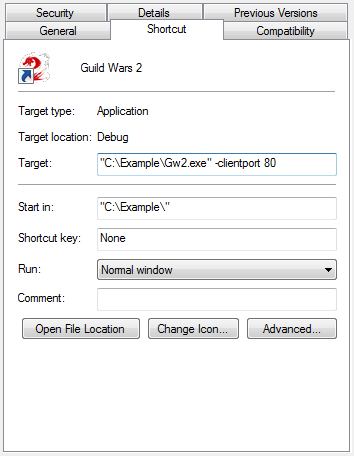
It’s a command line option. Right-click a shortcut to Gw2.exe and select properties. Add -clientport 80 to the end of the target.
For example: