Attachments:
NSP
The Soloblade
The Soloblade
So I have no idea what happened but right after I updated to windows 8.1, this happens to gw2. The strange thing is that everything else runs just fine but gw2. I even took a screenshot and the screenshot shows everything as running fine so I had to resort to using my phone to take a picture to show the problem. Now I am not really a tech junkie so I really don’t know what to do to fix this so I need help. Restarting the client hasn’t changed a thing.
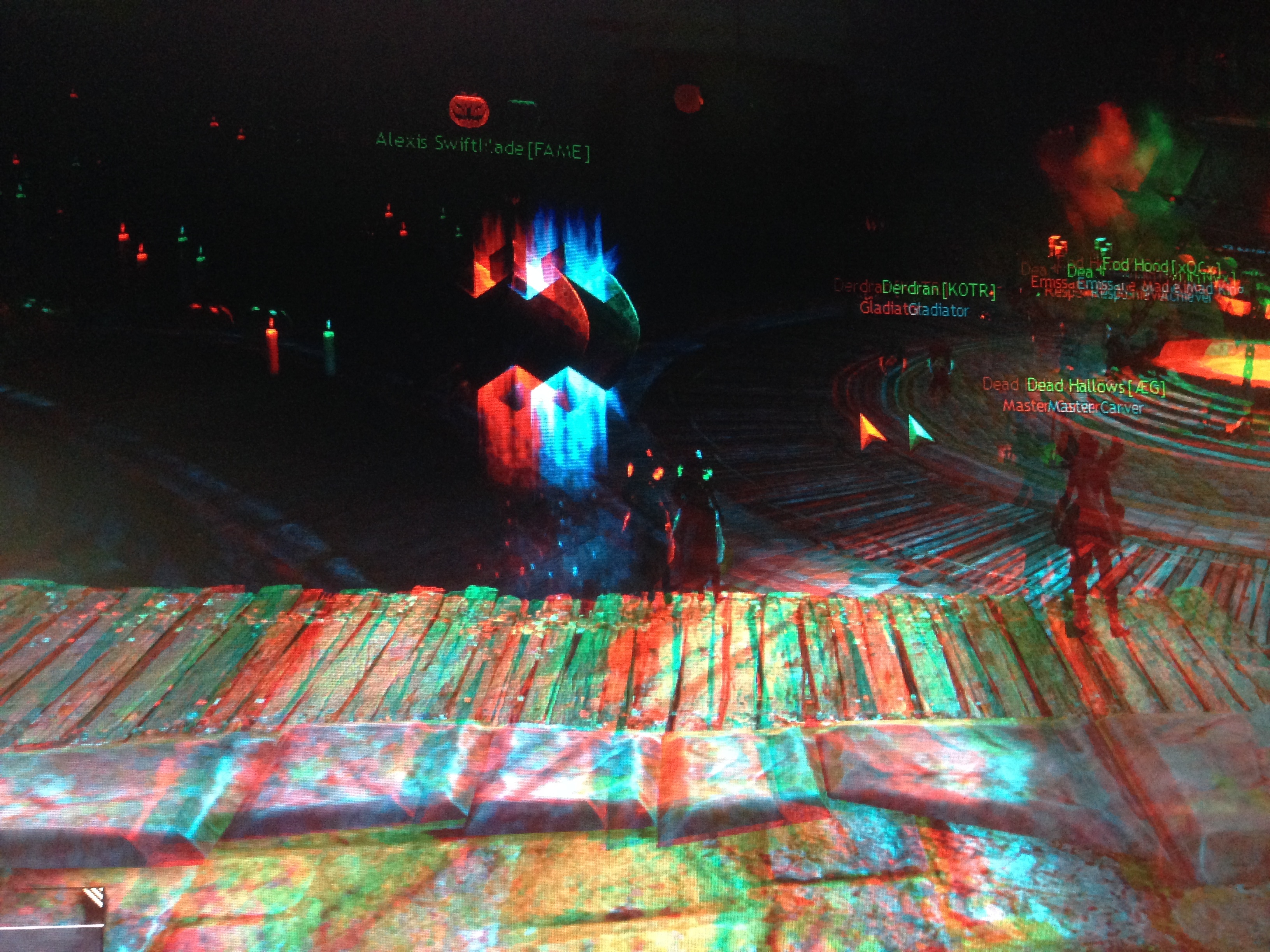

I am currently using NVIDIA GeForce GTX 660, driver version being 327.23. Processor is Intel® Core™ i7-3770 CPU @ 3.40GHz, RAM is 8GB, system type is 64-bit Operating System, x64-based processor
Turn off stereoscopic 3D or whatever it’s called. Not sure if it would be in GW2 or the nVidia control panel, though.
Turn off stereoscopic 3D or whatever it’s called. Not sure if it would be in GW2 or the nVidia control panel, though.
I tried that option. Nothing changed. Doesn’t help that Anet sent me a reply but the link to the new support tickets to attach attachments were broken. Waiting for them to send me a new link. This is really frustrating because I can’t do anything now in the game because I can’t really see where I am actually attacking/going due to the doubles.
Edit: went to restart my whole com and it worked finally so everything is fine now. thanks for the help
(edited by Natar.3671)
I have this exact same problem. Is there any solution?
I found the solution. I uninstalled the 3D Stereoscopic from Nvidia and it fixed the problem.
Not affiliated with ArenaNet or NCSOFT. No support is provided.
All assets, page layout, visual style belong to ArenaNet and are used solely to replicate the original design and preserve the original look and feel.
Contact /u/e-scrape-artist on reddit if you encounter a bug.