Lydia Nalen – Warrior – Desolation
Showing Posts For Archet.4953:
Seeing countless reports of these bugs going back to the release of the game, I have no option than to settle for a much smaller UI size which I find very uncomfortable. I guess I just have to try to get used to it..
If any Anet staff read this thread, please reconsider fixing this bug.
Lydia Nalen – Warrior – Desolation
I’ve tried gdipp as well with not much improvement.
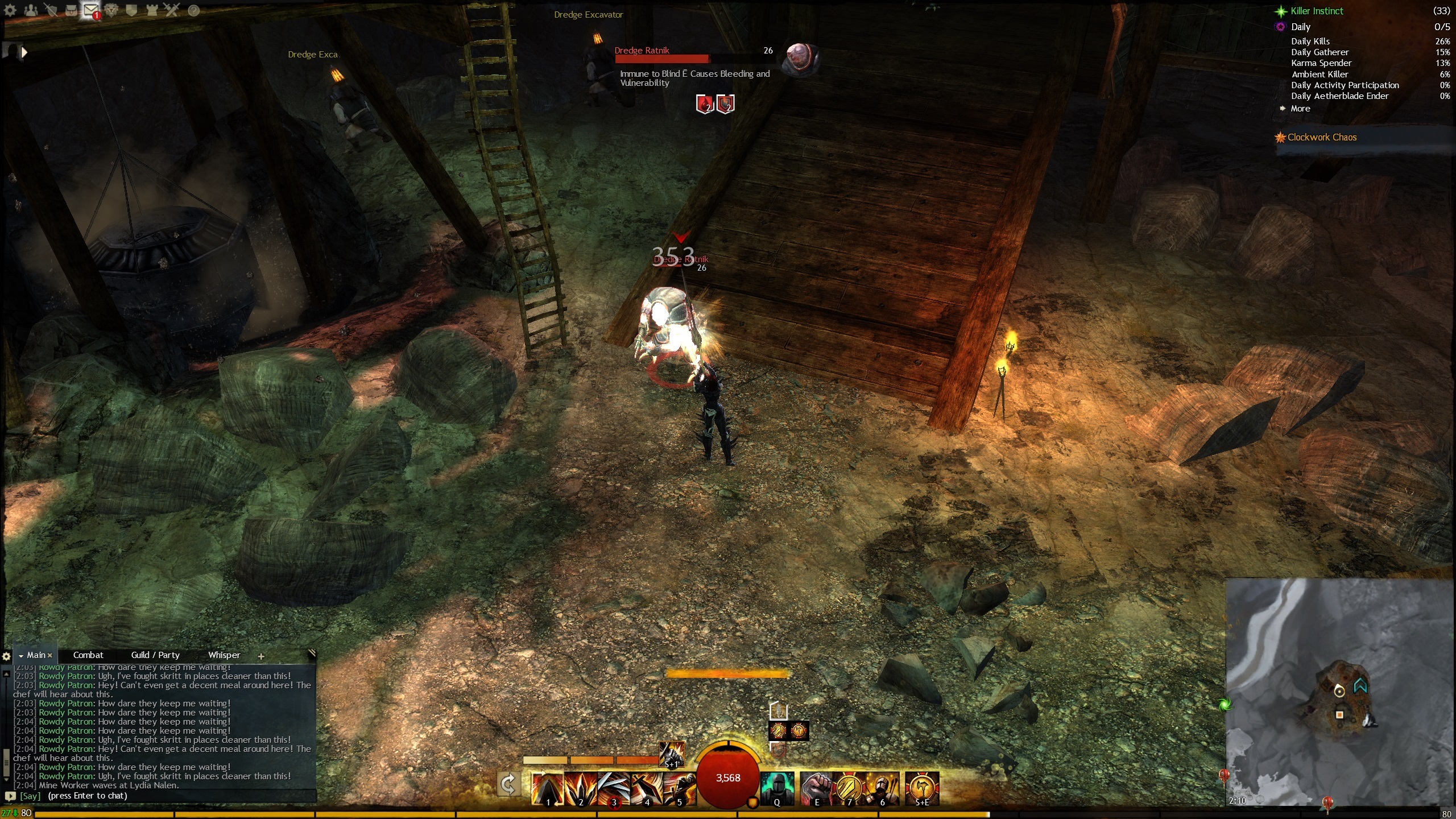
And where is this weird E coming from? It turns up at various places in the UI, not related to the browser.
See the mob description below
Attachments:
Lydia Nalen – Warrior – Desolation
To fix this please look up OS X font render for Windows GDI+
http://lifehacker.com/5190607/gdi%252B%252B-adds-os-x-font-rendering-to-windowsThere are many others sorry I don’t have the links anymore.
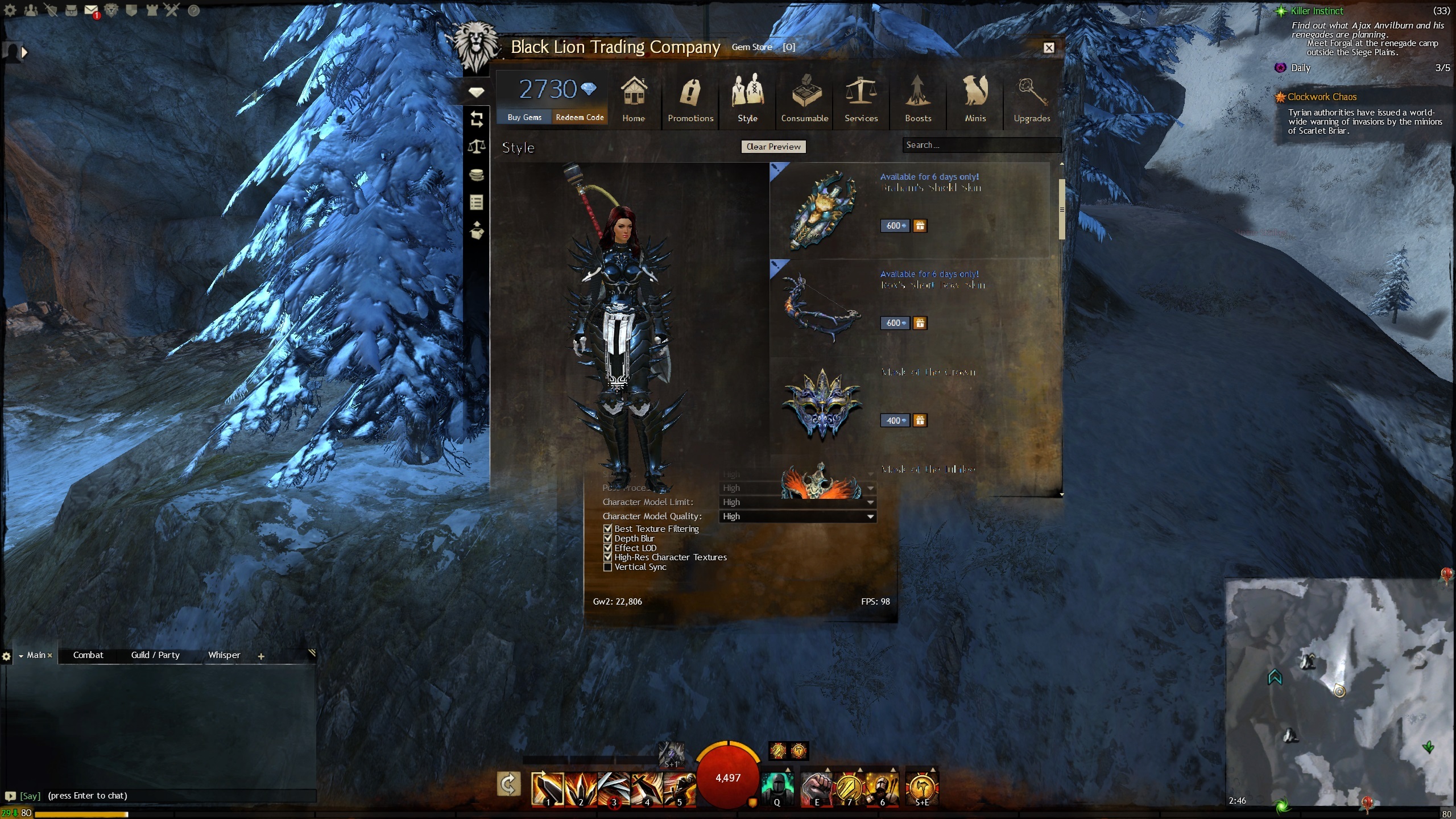
Thanks for the suggestion, but that makes it go from bad to worse. Take a look at the screenshot below. Now you can’t even read the text at all. Even on normal interface size.
I have reverted any changes I made and is now back to my original problem.
Does anyone from Anet read these threads? An official reply would be most appreciated. Will I be able to enjoy the game again in the near future? This issue is a game breaker for me.
Attachments:
Lydia Nalen – Warrior – Desolation
Thanks for clarifying, Behellagh.
But this isn’t just limited to the TP / Gem Store browser. Take a look at the screenshot below, and the weid E in the mob description in the top middle.
It’s a shame that Anet doesn’t seem to take these kind of bugs seriously.
Attachments:

Lydia Nalen – Warrior – Desolation
That’s a bit disheartening to hear..
I recently came back to the game after taking a long break, and spending hundreds of on euros on it. Would be a shame if I have to stop playing the game because I can’t find a solution / workaround for this problem.
Lydia Nalen – Warrior – Desolation
Hi,
I just recently went from playing on a 1920×1200 monitor to 2560×1440.
This makes the UI very small compared to what I am used to, and I wanted to use the “Interface Size” option to make the UI larger.
However when I choose “Large” and “Larger” all fonts ingame doen’t display correctly.
Look at the screenshot below to see what I mean.
I have tried restarting the client after setting the different sizes, but the fonts will only display correctly on “Normal” and “Small”.
Is there anything I can do to fix this?
Attachments:

Lydia Nalen – Warrior – Desolation
Balthazar is open on Desolation EU right now. Been up for 10-20 minutes from when I post this. Grab your chars and get it done now
Lydia Nalen – Warrior – Desolation
Need uncontested on EU. Anyone doing it tonight?
Lydia Nalen – Warrior – Desolation