Showing Posts For Glorlok.8209:

Graphics Issue - See-thru geography

in Bugs: Game, Forum, Website

Posted by: Glorlok.8209

Glorlok.8209

That last link is the solution, Spaceman, thank you for that (I didn’t see that in my own search).

“At this time we can also confirm that the Ambient Occlusion profile added to the game yesterday can result in certain pieces of terrain becoming transparent. If you experience this issue, simply turn off Ambient Occlusion in the Guild Wars 2 NVIDIA Control Panel profile.”

The Ambient Occlusion was set to Quality on my card. I made a program specific profile in the 3D settings for GW2, and turned off Ambient Occlusion, and voila…no transparency.

It HAS to be set for Off, setting Performance is not good enough.

Hopefully the devs (or nVidia devs) can figure out what’s going on and fix in future patch. For now, I’m just glad I can run around normally.

Graphics Issue - See-thru geography

in Bugs: Game, Forum, Website

Posted by: Glorlok.8209

Glorlok.8209

Last example attached…

Attachments:

Graphics Issue - See-thru geography

in Bugs: Game, Forum, Website

Posted by: Glorlok.8209

Glorlok.8209

Another photo attached…

Attachments:

Graphics Issue - See-thru geography

in Bugs: Game, Forum, Website

Posted by: Glorlok.8209

Glorlok.8209

Same shot, two steps forward:

Attachments:

(edited by Glorlok.8209)

Graphics Issue - See-thru geography

in Bugs: Game, Forum, Website

Posted by: Glorlok.8209

Glorlok.8209

Didn’t work…so I attach them as replies…

Standing in Black Citadel:

Attachments:
(edited by Glorlok.8209)

Graphics Issue - See-thru geography

in Bugs: Game, Forum, Website

Posted by: Glorlok.8209

Glorlok.8209

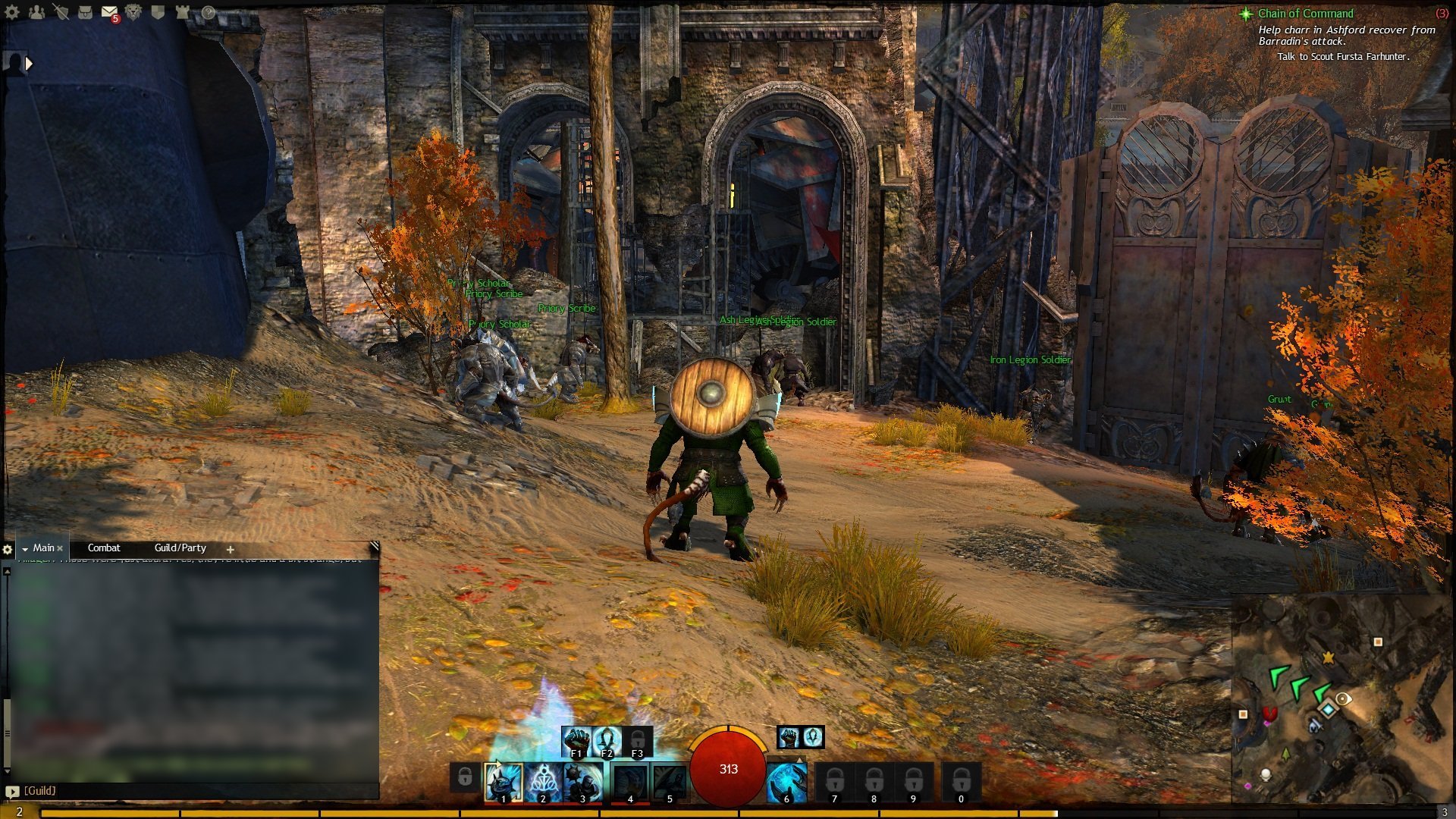
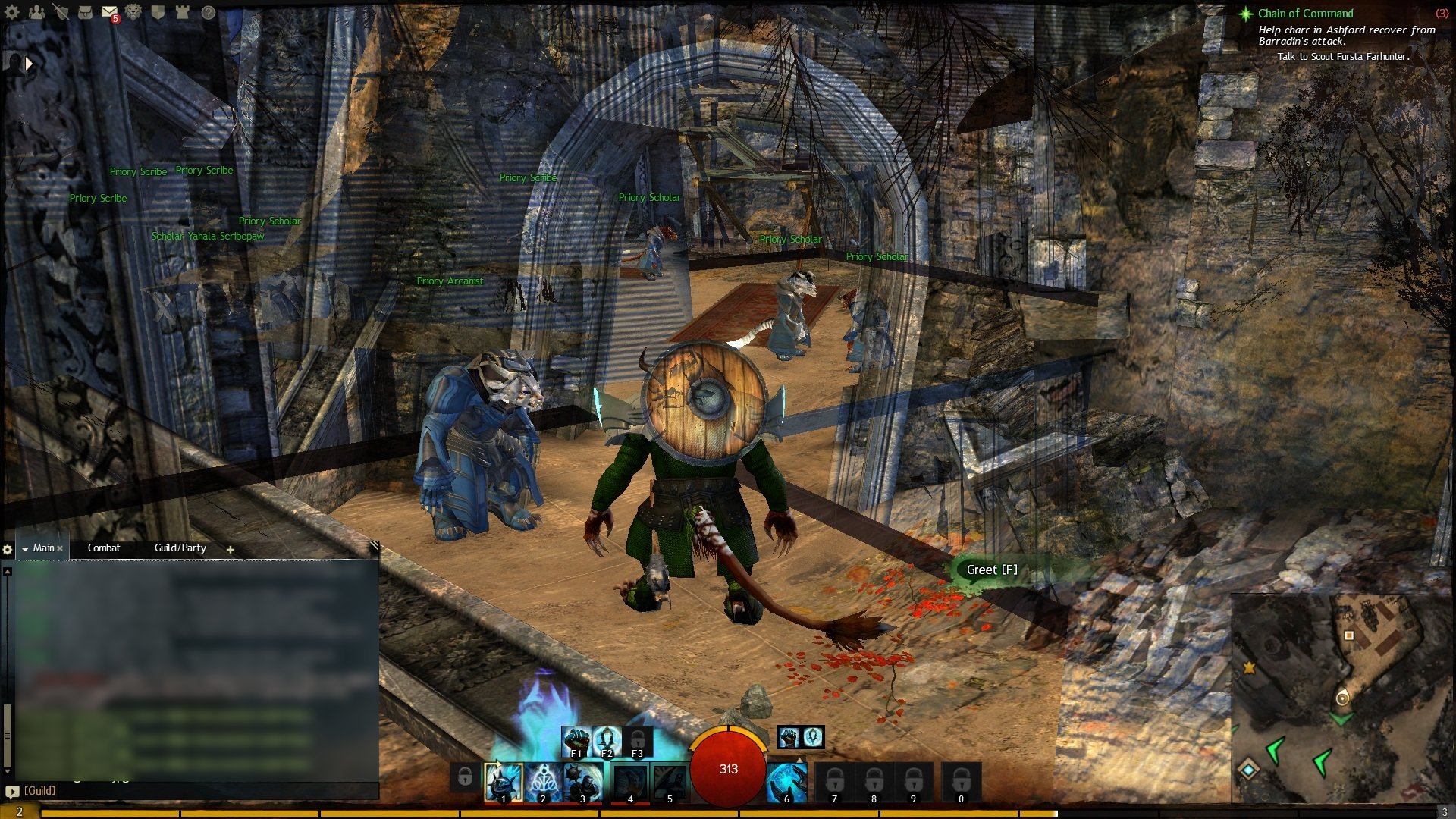
For about the past 2 weeks (or so), I’ve had an annoying condition of being able to see through the geography of the game. Some might consider this exploitable, seeing as I’m able to locate mobs and other items which would not normally be seeable. I find it annoying, since it makes travel difficult, especially when in tight quarter areas such as hallways.

Attached are images of what I am describing (hopefully the links work – they aren’t showing in preview). I will show regular view, and then what occurs when I move the camera at certain angles. The effect is unchanged regardless of zoom. I use an EVGA GeForce GTX 570 running the most recent driver 306.23. This was also occurring when I was running the game recommended 306.02 beta driver.

[img]http://decimation.fhgn.org/GW2/gw032.jpg[/img]
[img]http://decimation.fhgn.org/GW2/gw033.jpg[/img]
[img]http://decimation.fhgn.org/GW2/gw034.jpg[/img]
[img]http://decimation.fhgn.org/GW2/gw035.jpg[/img]
[img]http://decimation.fhgn.org/GW2/gw036.jpg[/img]
Attachments: