Showing Posts For Jeffrey.3692:
I have got a lot of items i bought in this week
and lost about 2~3g, but i think it’s fine.
Perhaps it just the money i should pay for some of these items.
The problem was fixed temporarily.
Anet sent me this. I will have to do it once I get home:
Hello XXXXXX,
Thank you for contacting NCsoft Technical Support.
In order for us to better assist you with this issue, I would like you to provide us with some basic information from your game client and computer system:
First, a file called “Arenanet.log” will be generated in your “Documents” folder under the “Guild Wars 2” folder. Please locate “Arenanet.log” (If present) and attach them to your reply.
Next, I need you to run our “Game Advisor” tool. The Game Advisor will provide us with helpful information about your system and Internet connection.
If you are using a router, hub, or switch, please disconnect this device and connect directly to your modem before running this utility. You may have to reboot your modem and/or computer to reestablish your Internet connection. If this isn’t possible due to your network setup, please run Game Advisor with the router connected as the information will still be useful.
To run Game Advisor, please perform the following steps:
1. To download the Game Advisor, go here: http://us.ncsoft.com/gameadvisor
2. When prompted, save the file to your Windows “desktop” so that you can access it easily. Please save the file before running it – running from the website can cause file issues.
3. Double-click on the Game Advisor file and then click on the icon for Guild Wars 2.
4. Click on the “Test Computer and Connection” button and please wait a few minutes while the process completes.
5. Once the process completes, a “Test Result” window will come up. This window will provide you with a link to update your ticket as well as tell you where the diagnostic report is saved. You can also view the report file.
Lastly, I would like to examine your TCP/IP, Winsock, DNS and Proxy information for potential issues. To do this, we use an application called “Hi-jack this.” To run Hi-jack this:
1. Download and run HijackThis from the following link:
http://sourceforge.net/projects/hjt/
2. Click the “Do a system scan and save a logfile” button.
3. Once the scan is complete, a text logfile will appear in Notepad. Save this file to your Desktop.
Please update your ticket with these files. If you need assistance attaching a report to the ticket please follow the instructions in the following Knowledge Base article:
Title: Attaching a File
Answer Link: http://help.ncsoft.com/cgi-bin/ncsoft.cfg/php/enduser/std_adp.php?p_faqid=5887Once we receive it, we’ll have a better idea of how to resolve your issue.
Regards,
Ashe
NCsoft Technical Support
yeah,same as mine
I got a reply,too.
They told me to make some test and send the report.
The problem still not fixed yet.
If there is any good news from the ticket,I will tell u guys.
Why is no info from ANET?
4 days with no Trading Post.
Fix pls error:
‘Sorry! Your order did not match any current listings. Please refresh and try again’Today patch not fix it
Though there is a reply from the team,
several days without trading post really makes me down:(
My Trading Post hasn’t been working for a week now, I can sell stuff, but there is nothing in the pickup tab. Can’t buy items, it says my order doesn’t match any current listings, even if i try to buy one of the 5 billion wood logs.
I was able to purchase gems for a character slot, but I haven’t received them after 30 hours. Wrote a ticket immediately. No answer yet.
I’ve also run a -repair, restarted my computer, restarted the game several times, deleted the local.dat file, nothing seems to work, it has to be a server-side issue.
There is a reply from the team.
I hope this bug can be fixed ASAP…
@Sorlain.8409
I have reported this bug to the team
There is a reply from the team member
Hope this bug can be fixed soon
The rest of the trading post is working fine, but when I try to sell something, the sell tab appears but it’s just entirely blank. So is the My Transactions tab. The home page of the Trading Post loads just fine but when I try to buy something, the “buy” button is always grayed out for some reason.
It’s been like this for a day or two now.
i think your situation is not exactly same as our?
@Fundersam.9104
please reply a message at this page.
I think more people reply so that the team can see our problems
this problem is not like the normal one(the buy button grey out).
I think it will be higher chance to fix it up.
sorry for pulling this up.
but i have to do it until someone can handle it,
because there are several people have this problem,too.
(edited by Jeffrey.3692)
I can’t use everything on the trading post.
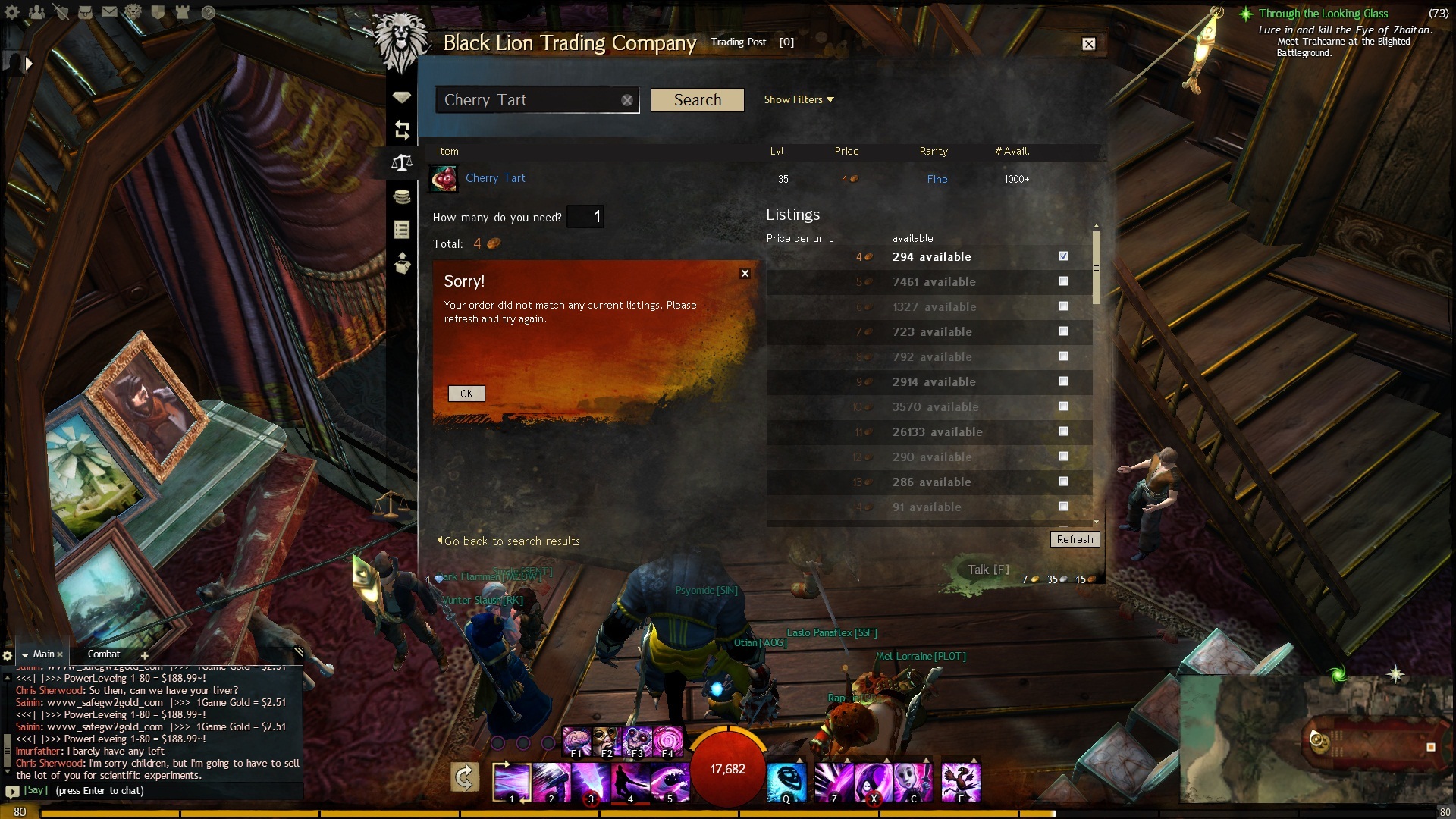
When i try to buy something,it just shows
“your order did not match any current list.”
Besides,i am unable to get back the items that i removed.
and i didn’t receive the gold from the items i sold,the pick up list is totally empty.
But i can normally use trading post by my friend’s account.
Does that mean my account got banned in trading post or something?
I’ve post this at Game Bug and sent message to some people who may solve this problem.
it’s a bad time for me without trading post
Attachments:
TP has been working for me pretty much since day one. Once it was available full time, I had no problems till today.
Yesterday I made a few orders for ore and today I logged in expecting to see those orders filled. I did see the transactions go through and all the orders were filled.
I went to the pick up tab and found absolutely nothing. I also had a rare weapon put up for sale the same time as I was making those orders. I see no profits for that weapon in the pick up tab either.
Also after that, I found that I was unable to buy anything from the TP. Even though the items is available in the thousands (1000+ for Availability) I get the error “Sorry! Your order did not match any current listings. Please refresh and try again.”
I hope this can be fixed. I’ve submitted a report as a bug but I fear that this will never get fixed and there’s really no need to continue playing if I can’t do anything with the TP.
Transactions for items I’ve bought shows that I bought that ore 15 hours ago. Problem still hasn’t resolved itself and my pick up tab still shows nothing.
Help!
same as you,i have posted a picture above.
it’s really annoying for me that can’t use trading post..
I can’t use everything on the trading post.
When i try to buy something,it just shows
“your order did not match any current list.”
Besides,i am unable to get back the items that i removed.
and i didn’t receive the gold from the items i sold,the pick up list is totally empty.
But i can normally use trading post by my friend’s account.
Does that mean my account got banned in trading post or something?
Attachments:
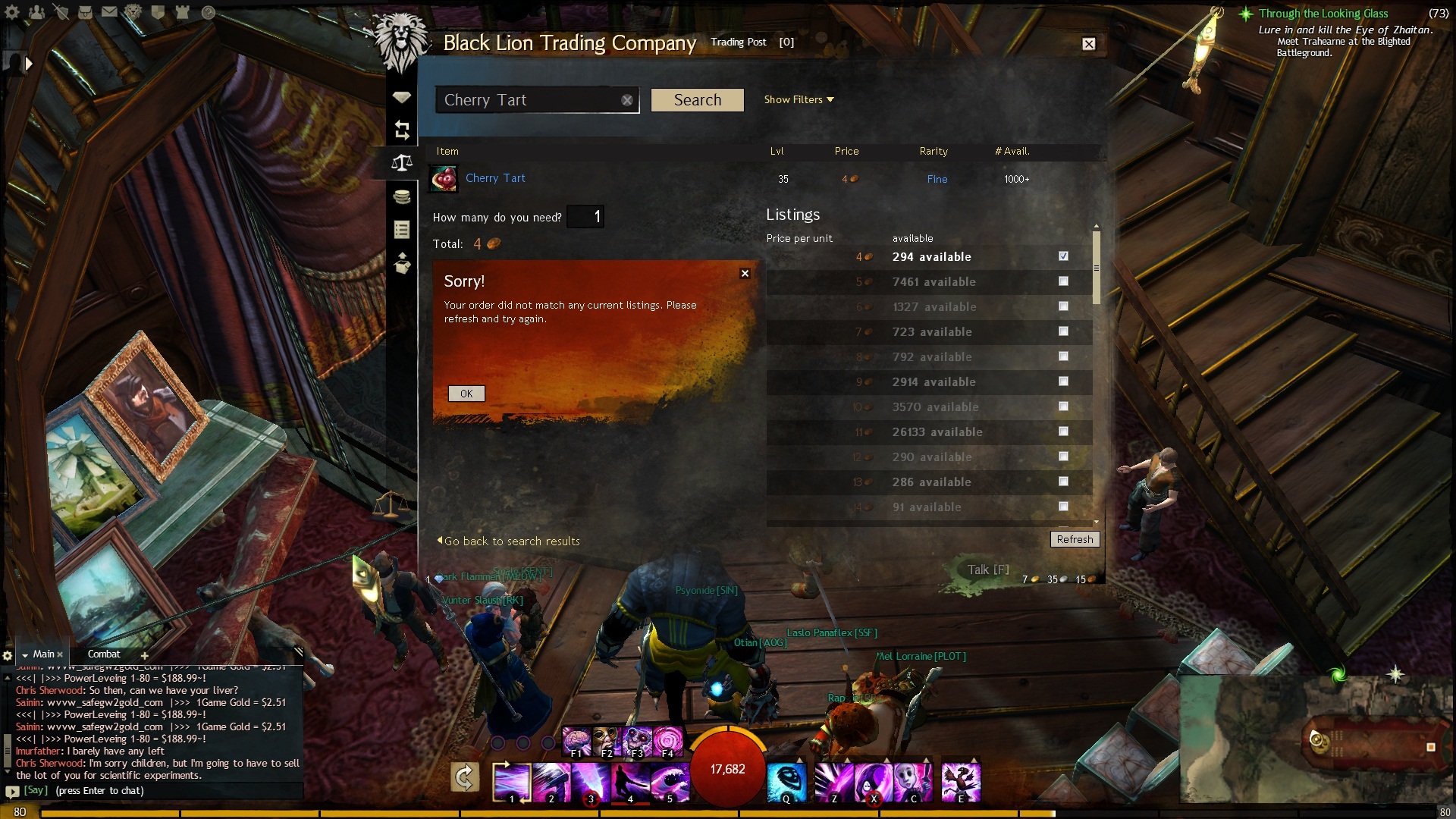
I can’t use everything on the trading post.
When i try to buy something,it just shows
“your order did not match any current list.”
Besides,i am unable to get back the items that i removed.
and i didn’t receive the gold from the items i sold,the pick up list is totally empty.
But i can normally use trading post by my friend’s account.
Does that mean my account got banned in trading post or something?
Attachments:
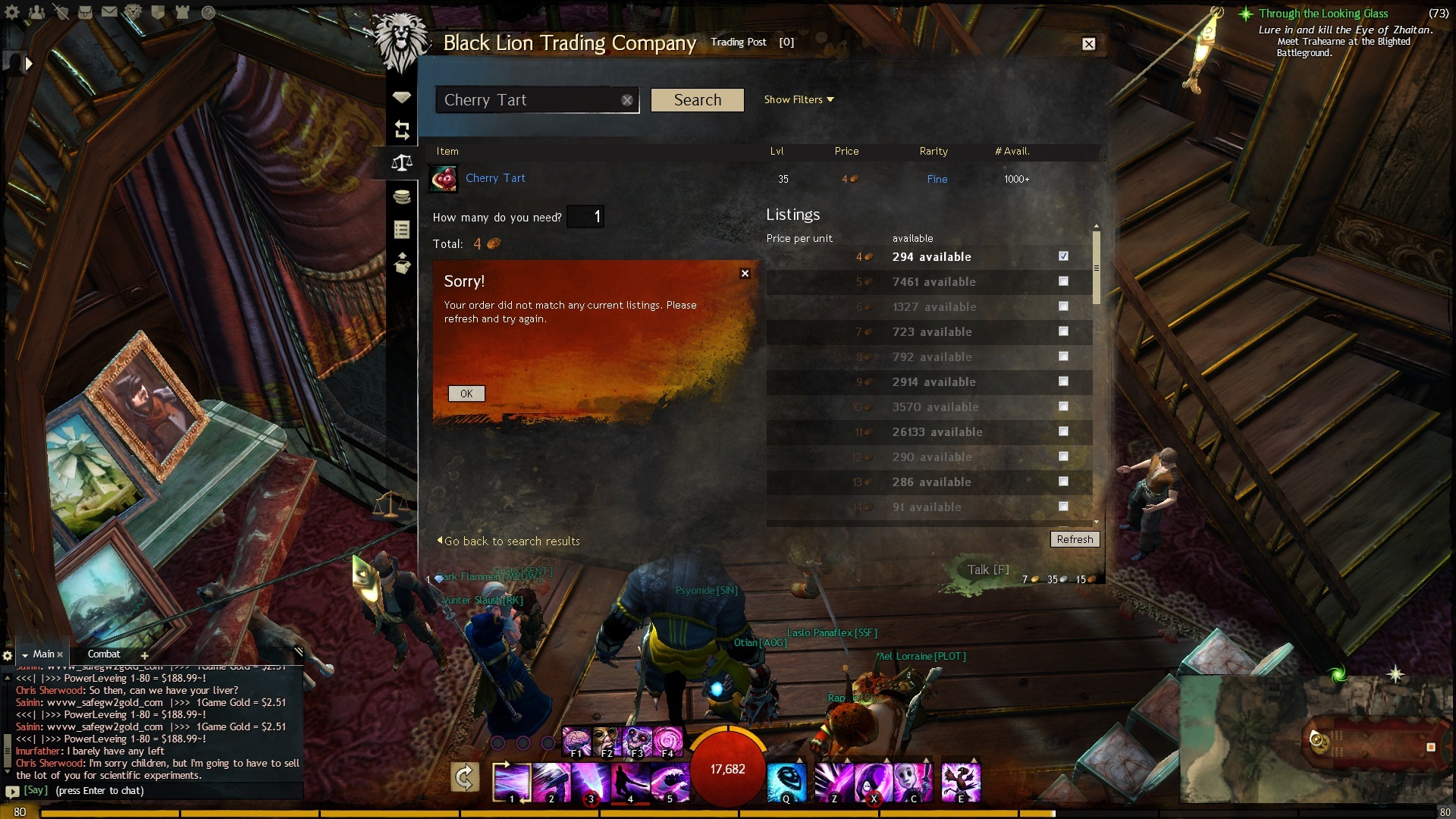
Today,when i am buying something,
trading post always says “Sorry,your order did not match any current listing.”
and i can’t get the removed item,too.
it seems like everything about trading post is broken….
yeah,i have the same problem