Showing Posts For Barrock.1023:

Weird graphics issue (With images)

in Account & Technical Support

Posted by: Barrock.1023

Barrock.1023

Yup. I’ve got the absolute latest bleeding edge beta drivers. And I don’t blame Arenanet. Just wanna see if I can figure out what the issue is.

Ambient occlusion is on. Do I need to disable it or is there a way to make it application controlled?

Best thing would be to go into the Nvidia Profile and reset it to default and run over the options making sure they’re all set to “Application Controlled”. Out of curiosity, do you come across these issues in other games??

I left it on, but under Guild Wars 2’s Program Settings I turned it off.

No not that I’ve noticed. Just Guild Wars 2.

Weird graphics issue (With images)

in Account & Technical Support

Posted by: Barrock.1023

Barrock.1023

Best thing I’ve found is to have defaults set on any profile for the game and make sure everything graphical is dictated by GW2.
Have you guys tried updating to Beta Drivers?? Technically speaking its not the fault of the game but of AMD and Nvidia for not releasing appropriate updates to prep for this.
http://downloads.guru3d.com/ – Recommend going here and grabbing either Catalyst 12.8 or GeForce 306.02 drivers

Yup. I’ve got the absolute latest bleeding edge beta drivers. And I don’t blame Arenanet. Just wanna see if I can figure out what the issue is.

Ambient occlusion is on. Do I need to disable it or is there a way to make it application controlled?

(edited by Barrock.1023)

Weird graphics issue (With images)

in Account & Technical Support

Posted by: Barrock.1023

Barrock.1023

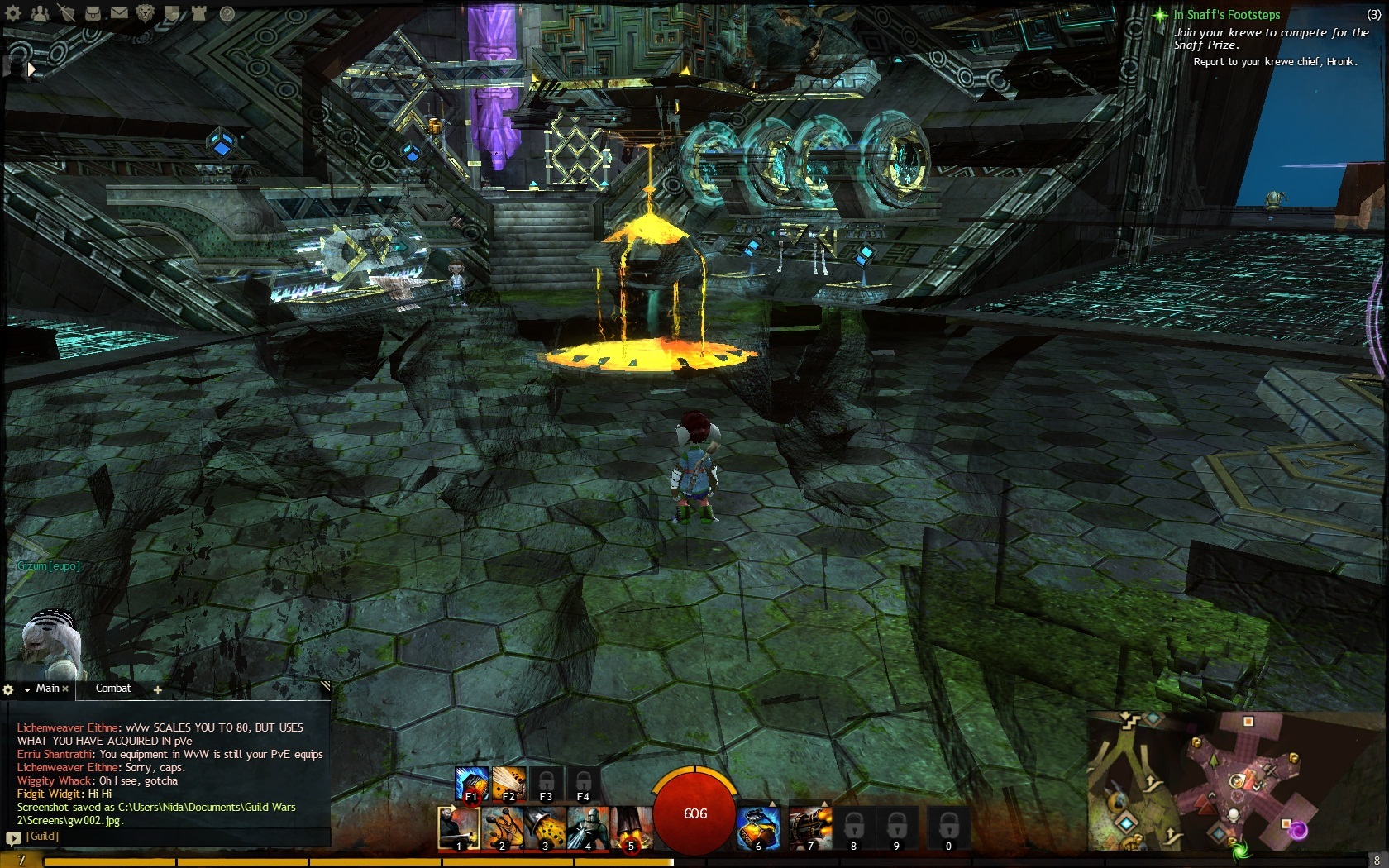
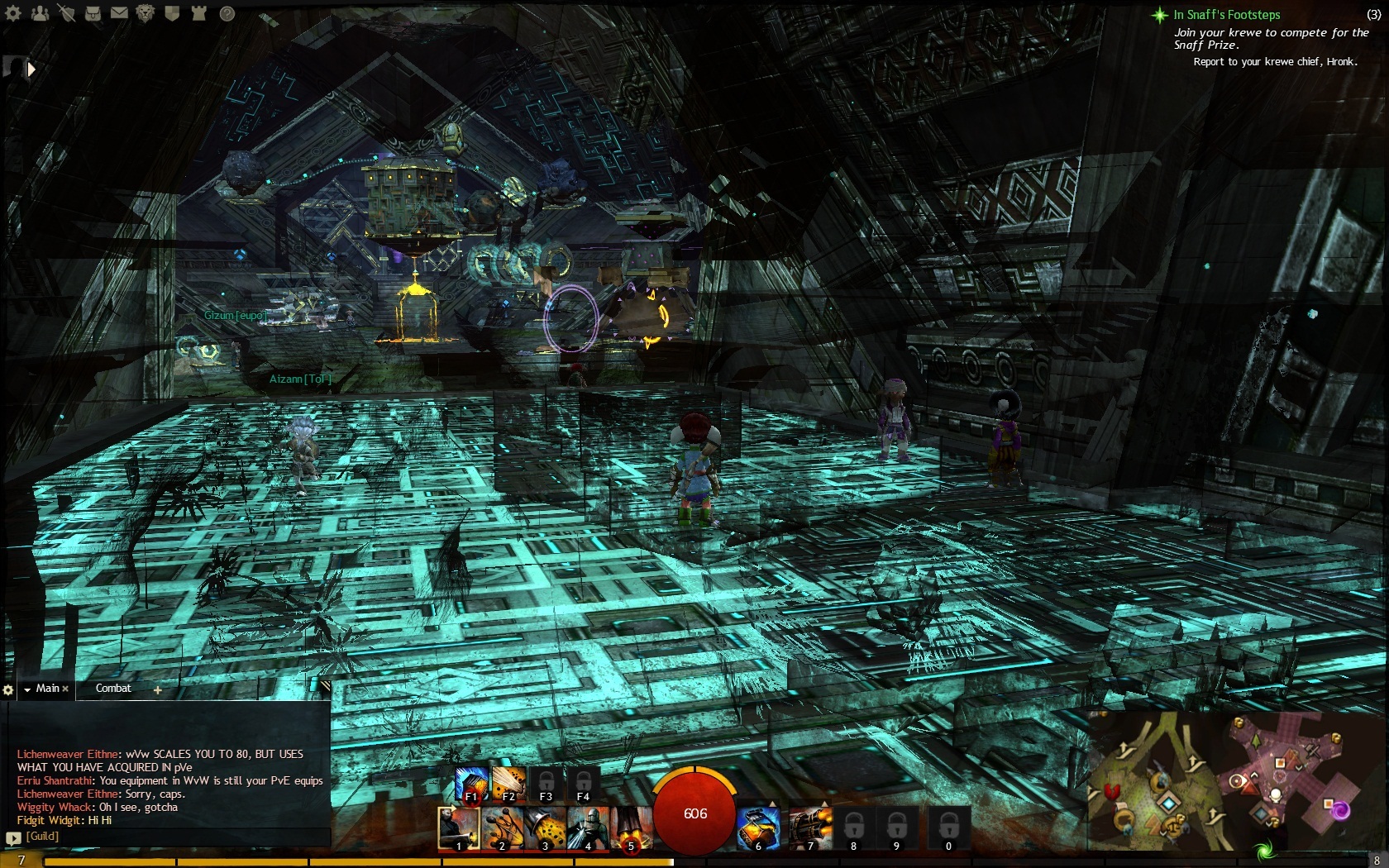
My graphics drivers are the absolute latest. I have a GTX 570. I’ve noticed when I move my camera in certain positions something quite odd happens. This is what it looks like. Any idea what could cause this?
Attachments: