Showing Posts For Hypebeast.3259:
I’m mostly gonna be doing PvE and dungeons. So which class is the funnest?
What are the stats?
which you use the most.
I use them both equally.
Which do you use in FOTM more? It will need it for the AR to farm your next one.
Well I’d say, my warrior, but the thing is that I sorta think it’ll look better on the human, but I might be wrong.
which you use the most.
I use them both equally.
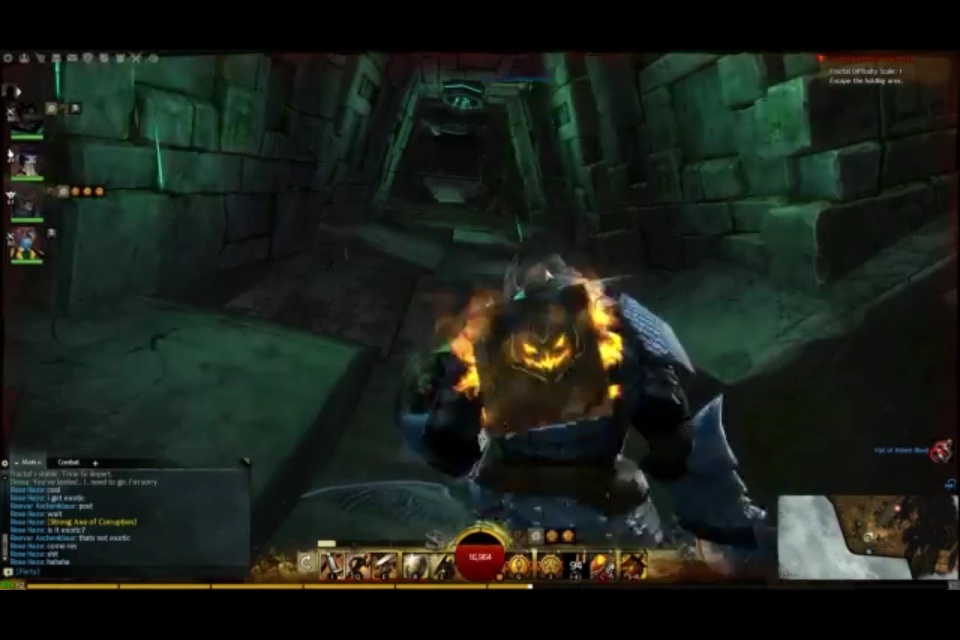
Should I give it to my norn warrior? Or to my human guardian?
I want to try something different with my warrior. What do you guys think of dual axe? Any other weapon suggestions? (except greatsword, longbow, rifle, warhorn)
[this will be a long post, please read steps completely before attempting]
Sounds like varied issues. The mouse problem is a known Mac issue and the only fix is a client restart. The tp not loading is also a common problem that a restart usually fixes, however, I’ve recentlynstumled upon an in-game fix you could try out, however, it may introduce a gamma bug. After utilising this set of steps, your gamma may get dark suddenly. To counter tht, just open the graphics panel and move the gamma slightly and drop back on your preferred setting. Here are the steps or the tp in-game fix, please post back if they help next time you encounter your tp issue (it needs to be repeated every time it occurs though):
1. Open your trading post
2. One your options panel
3. Change the language to French
4. Wait for the trading post to reload in French
5. Change the language back to English (anglais)
6. Test trading postAs for your odd client issue, go through these steps 1-5 and let me know how you go. Read each one completely before trying.
1.) run software update to ensure all drivers and os are up to date.
2.) try repairing disk permissions via Disk Utility first. Then…
3.) repair the client install
Open Terminal
Type the following:
/applications/guild\ wars\ 2.app/contents/MacOS/cider —use-dos-cwd C:Gw2 -- C:\\GW2\\GW2.exe -repair
You can copy and paste that in, but (check the dash) you must change the dash before the word USE or this will fail the forum shows an em dash (—), but it is supposed to be 2 consecutive en dashes (-). Run it and let it go until finished. FYI if you type the command yourself or paste it, they are 2 dashes (-) side by side… I’m noticing one sometimes looks like an em dash… It’s 2 en dashes though. (the dash before USE is 2 regular dashes)… Reiterated due to previous confusion about that dash on these forums.
4.)Perhaps after doing that, if it doesn’t work, you can try to delete the contents of the gw2 data folder, it’s a pain to get to the right one: this step is a general fix for many tp and graphics issues, even without the previous steps this will cause you to lose your saved settings, including login/password, graphics, & sound.
Mine is located under the hidden Library folder (navigate using finder, do not use spotlight to search)
/[yourharddrivename]/users/[yourusername]/library/application support/guild wars 2
You may want to copy/paste this folder to your desktop as a temporary back up, just in case.
Delete the contents of that specific folder (you should see files like this contained within “config, dyndata.dat, user.reg, userdef.reg, and folders p_drive and wineserver…namestuff…loca..[long name]” just to list a few), then re-run the client..
~~Your folder is probably hidden (as is the default). Hidden folders display as greyed out text and icons. I found this after googling:
http://m.wikihow.com/See-Hidden-Folders-on-Mac-OS-X-and-Other-Recent-Models
Others claim alt+clicking a file/folder unhides the contents, but that was never successful for me. At least the link has visuals for you. Hope it helps.
5.) check support.mac.com for instructions on how to reset your pram and smc.
6.) If none of this works, check the sticky and submit a ticket, then please come back here and report the fix that worked for you.
Let me know

Thank you soooo much! This worked perfectly, really appreciate the help thank you!
I had the same exact problem, I found a fix while being super fustrated and just clicking random stuff. Just right click Guildwars2.app > show package content > MacOS > cider, this should open terminal and the client.
A lot of times, whenever I open the trading post, it won’t load. It’ll just have the spinning yellow circle. Another issue, whenever I log out of the client and then log back in, my characters camera angle spazzes out like its on really high sensitivity. Last issue, whenever I exit to desktop, the client won’t open back up. After clicking it multiple times, an error message comes up saying GuildWars2.app can’t open, something like that. So how do you repair the client or fix these issues?
I really want the Temple of Melandru armor, but I can’t get people to help me kill Melandru. Hes up and ready to kill, I say it in map chat, guild chat, etc. But nobody wants to! I even guested on a different server, still nobody. In order to get certain skill points and pois, some of the other temples have to be taken out… which nobody does. So Is there a way to get people to help out? Is there a server that always take down temples?
Theres this back item that I see some people with and I REALLY want it. So I want to know what this back item is called, how to craft it or how to get it. Sorry in advance about the crappy quality of the photo! Screenshoted from a random youtube video where I saw this sexy thing.