Showing Posts For Mits.7498:

8/10
I like it! Though she does look a bit grumpy in the first picture.
Now for this beauty:
http://i.imgur.com/IyIzbs4.jpg
In all seriousness:
http://i.imgur.com/hWhTusH.jpg
EDIT: Can’t seem to get the pictures working :c
I’d say their rates have definitely decreased over the past year. I remember having a chance of ending up with a profit by buying rares (they were the same price as ecto) and then salvaging. 60% of the time with either a rate of 1:1 or better. These days it’s not an uncommon thing to salvage 3 ecto from 9 rares for me.
As someone who did a fresh install of the game yesterday, for me it’s 16,8GB
A quick reseat of the GPU seems to have resolved the issue. Thanks for the help guys!
Attachments:

(edited by Mits.7498)
Frequencies are fine as far as i can see (800MHz Core clock and 1250MHz Memory clock while in game)
However the other thing you’ve pointed out, it currently says “Link Width: x1” “Max Supported: x16”. Could this be the problem then? And if so, how do i go about fixing this?
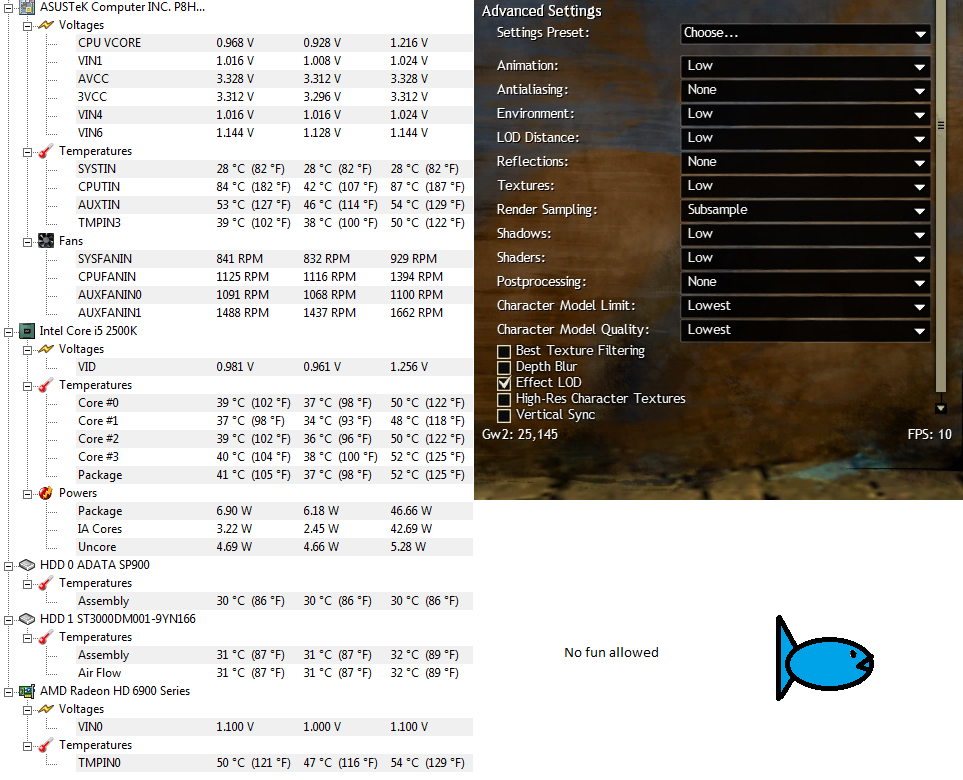
So, today i logged into the game finding myself looking at a framerate of a mere 6FPS. It doesn’t go lower than this, it doesn’t go higher than this unless i change the settings to lowest which cranks it up to an unplayable 20. First thing i did, naturally, was reboot the game. This changed nothing so i decided to reboot my PC. This again did nothing so i decided to resort to the last option which was to re-install the game. After hours of re-installing i find myself looking at the same terrible framerate.
My PC specs are:
CPU: i5-2500k @ Stock clock speeds
GPU: Radeon HD 6950 2GB
RAM: 8GB Dual Channel
MB: Asus P8H67 Rev 3.0
OS: Windows 7 Ultimate 64-bit
If anything else is needed i’ll be happy to provide more info.
Now the best part about all of this is that the game ran fine the day before(Steady 60fps in PvE). It has always run fine and i literally shut the game down, went to bed, woke up and stuff like that, booted my PC and launched the game again. Nothing that i know of has changed and i haven’t a single clue what could be causing this to happen.
What i have noticed though is there, whereas the usual 60-70% CPU usage the game would cause, it is now using merely 10-20% in crowded areas (Sparkfly main). Temperatures are normal (CPU at ~50 °C and the GPU at ~50 °C) and the GPU is not overclocked as i read that might cause performance issues or inconsistencies.
EDIT: While taking the screenshots i noticed it was not just causing FPS loss in the game. While the game is running my entire computer starts slowing down and for example my mouse starts skipping.
EDIT2: And now i even tried re-installing my GPU drivers. I’m about out of options here now and it’s just frustrating at this point. Just tried a few other games and they seem to be running without issues.
And just an attachment to show my current FPS on lowest settings in Divinity’s Reach and my HWMonitor along with it.