Showing Posts For ShadowBumble.3504:
I also think the answer is very short sighted. he asked my to send a file about my PC with the Game Advicsor. This file gifs every litle detail about my PC even info about which programs i run when my PC is on, which i have de-installed in the past history etc. and he’s saying " If these links do not work, or you are on a laptop, you may need to contact your computer’s manufacturer as they may have put proprietary drivers on your computer that you will have to receive through them." He can see that i don’t run on a laptop and run on a very high spec PC custom made with most drivers up 2 date. and again never had any problems with my drivers in the past year. it only started afther the graphics update.
dear customer support,
as requested i will post m y problem on the forums. I hope other people with the same problem join me with and share there information.
Since sunday about in the afthernoon afther a fractal run i cannot join fractal groups anymore who are already inside the instance. I get the standard message to make my own instance but never the message to join the group. the message is also weirdly in the lower down left corner of the screen. about half visible on the screen. This is by invite from myself, by LFG and invite from a other player. I have relogged, changed characters. went inside and out of LA. Used differed WP inside of LA. Never getting the message to join the group, just the message to make a new instance for fractals. always in the lower left corner and half visible. Also going to the asura gate wont get me the message to join the group but gifs me the message to make my own instance this one does appears on right spot of the screen ( middle) About 35 hours now this is going on. Its a pretty big bug if you ask me. Please Help !
Update:
So i’m still not able to join fractals groups. I even got a new (the right one for joining a instance YAY i thought ! but then i saw join on lvl 0 ! see screenshot, i even asked on which lvl they activated the instance. And this is not some server or instance problem. I have asked my guildies to join a fractal and then try to get me in but no luck. The screens are indeed from pug groups but i play 9/10 with my guild mates on same server and LA instance. and for the record. when i pressed join i couldnt….
Attachments:

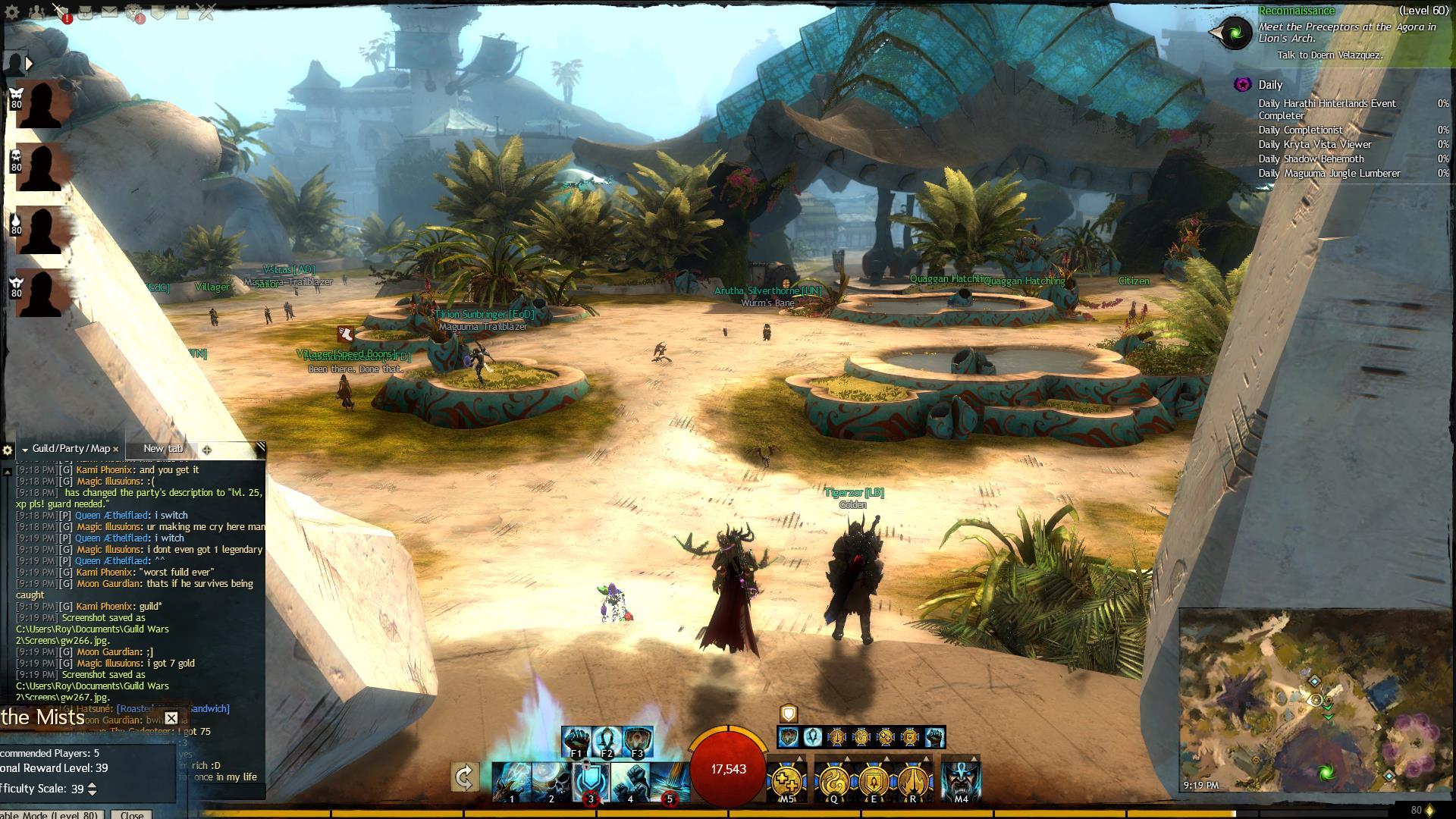


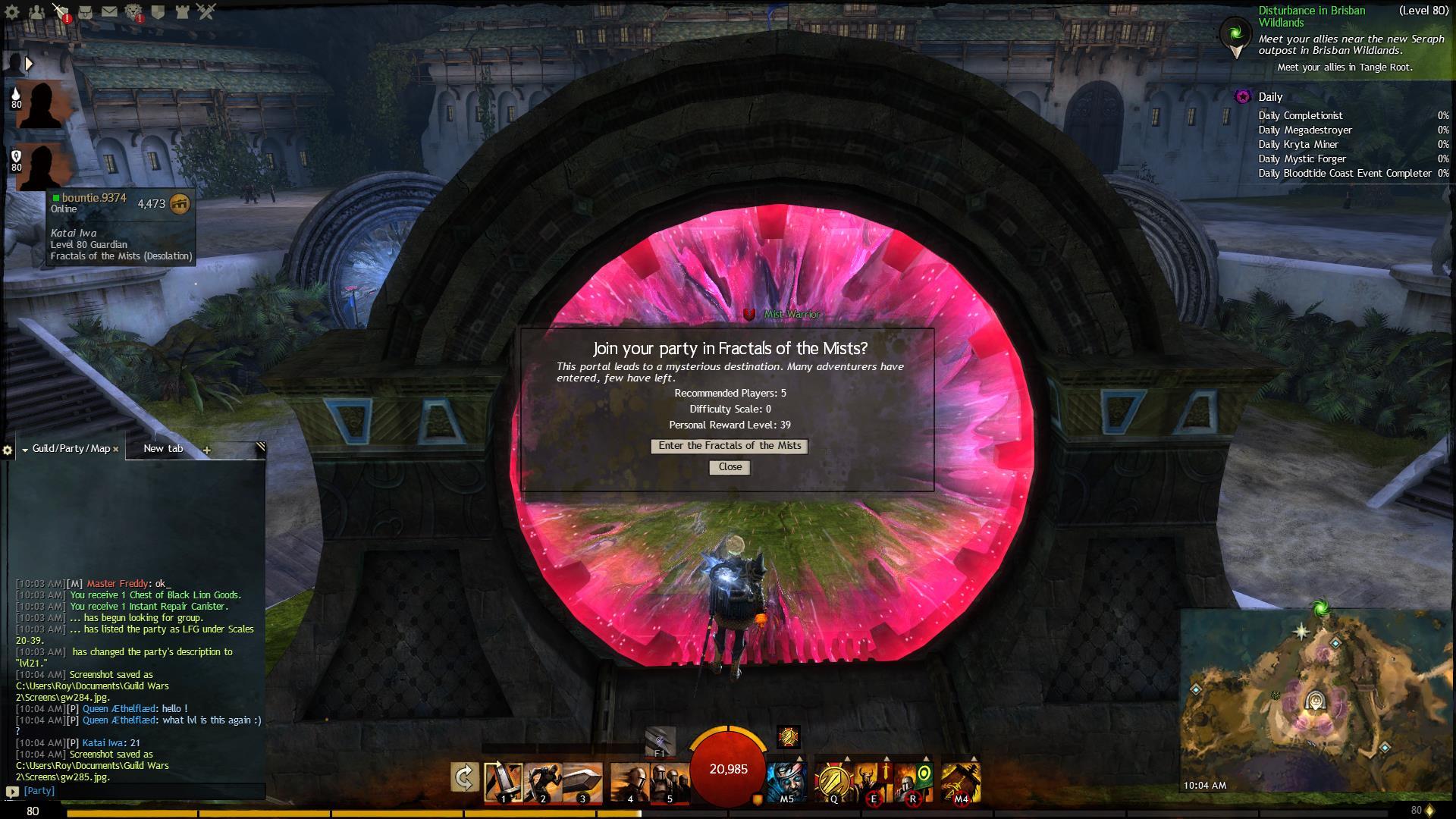
(edited by ShadowBumble.3504)
So im happy im not alone with this issue. Any one knows if there is a fix already ?
Hello today i made a ticket about this ! and i got an asnwer from customer support. i will copy paste my question and answer from Anet.
I have not seen any difference in preformance with new driver.
my question:
Roywerkhoven
Aug 17, 09:43
hello customer support. Ive been encountering some weird freezes of the game. The screen freezes but the game is still running on the background. its like the game forces a alt tab but it doesnt actually changes the screen. im running a dual screen monitor set up and never had any problems before. This is been going on since a few days afther the extended graphic options. its starting to make my game experience less joy full. I have changed my graphic options numerous time and went from windowed full screen to full screen. but no luck fixing this issue. So again the game freezes. nothing moves or i cant use the cursor. but the music is still playing and i hear my enemies and so fort. so i know the game is stil running. then i will move my cursor to me other screen press the other screen and then game fast forward to the point where it should be. im either dead or just standing still in the game because this freeze takes about a second or 2. In windowed mode i get black screens wile loading and a few hick ups. like a stutter. then the loading screen again and im in a map afther its done. some times in full screen mode my game also freezes like discriped above. but because i cant move my cursor to the other screen in full screen mode i have to use Alt Tab to the desktop and back to the game again. then im either dead when in combat or standing where iwas standing indicating that the game keeps running but its just a freeze of the screen and not the actual game. also i can hear the sound keep going on indicating that the game does not stop but its really a graphic issue. Please Help this is making my game exprience les joy full !
answer:
Roy,
Thanks for getting back to us.
The problem you are having may be due to out dated graphics drivers on your computer. Please make sure that you have the latest video card drivers from your video card manufacturer (AMD, Nvidia, Intel). The websites in the links provided below have an auto-detect feature which will detect your graphics card and operating system and will locate the most recent driver for you.
AMD autodetect: http://support.amd.com/us/gpudownload/windows/Pages/auto_detect.aspx
Nvidia Autodetect: http://www.geforce.com/drivers (Click “Auto-Detect your GPU”)
Intel Autodetect: http://downloadcenter.intel.com/default.aspx?lang=eng
If this does not fix the issue try turning down the graphics settings to see if it improves.
If these links do not work, or you are on a laptop, you may need to contact your computer’s manufacturer as they may have put proprietary drivers on your computer that you will have to receive through them.
Regards,
GM M.D.S_Geist
Guild Wars 2 Support Team
http://help.guildwars2.com/
(edited by ShadowBumble.3504)