Showing Posts For Insidious.6301:
Thanks for the replies. To recap -
I’m hoping to find someone who plays on a Mac Pro and has a gtx680 Mac Edition that can help confirm this observation.
Yes, Nvidia releases retail graphics and CUDA drivers for Quadro and GeForce cards for OSX. They are separate from what ships with the OS.
I have a Mac Pro 5,1 with a gtx680 running 10.8.4.
I’m noticing quite a bit smoother gameplay with the built in drivers than with the Nvidia web drivers (313.01.02f01). Not higher FPS per say, just less jerkiness and lag.
Can anyone else confirm?
Does anyone know what the various options for MTD3D are? I know it controls multi-threaded OpenGL, but the default is “4”…so what is 0, 1, 2, 3, ….. Incidentally when I set to 0, I still see 6 cores of my 6 core processor loaded up.
Also, FYI, on this system (Mac Pro 3.3 hex core, gtx680), doubling the VertexShaderHash and PixleShaderHash to 600 each, does make a very good performance increase.
Yes. By increasing to high you’ve created a bottleneck in your system, probably with your GPU. Because your GPU is now taking more time process instructions , the cider engine does not need to feed it instructions as fast. So in short, your CPU utilization goes down and so it’s producing less heat.
no. you must all buy mac’s now.
The same thing happens on the Windows client. There are 3 different occurrences of stutter/micro-stutter that I have observed.
1.) When you first log into the game and spawn, it takes a few seconds for fps to stabilize. Pretty sure this is due to your processor (speedstep) and graphics card ramping up.
2.) While already in game, just changing scenes or portaling into a new waypoint. You’ve got a whole new set of textures that have to be dumped, processed, and loaded, so that always causes a bit of stutter for a couple of seconds. Like I said. is see the same behavior on the Windows client.
3.) Occasional micro-stutter when moving around or panning quickly in very complex scenes. For this one, on my system commenting out the following 2 lines in my cider config file helps:
;“VertexShaderHash” = “300”
;“PixelShaderHash” = “300”
Also, on my particular system, setting “FBOBackBuffer” = “Y”, seems at this point to give me better frame rates in WvW.
Hard to test this one objectively, but in huge zergs sieging a gate for example, my WvW performance almost never drops below 30fps and I average 30-35. With it set to “N”, I average 20-25 and almost never see 30.
Hackintosh 10.8.2
4.5ghz i7 16gb ram
Nvidia GTX680 @ 2560×1440
(edited by Insidious.6301)
Sorry, but I don’t think the HD 3000 isn’t powerful enough to run GW2 with any sort of performance in either OSX or windows.
Why I can't recommend GW2 to my Mac friends.
in Account & Technical Support
Posted by: Insidious.6301
I think your imac will struggle playing gw2 under windows at that resolution. I have a gtx680 in my box and in windows it just barely gets 60fps and dips to 40 in some areas and 30 in WvW. all at High settings and 2560×1440. In the windows world, most serious gamers are rolling SLI or crossfire rigs to game at 2560×1440 and beyond. Have you tried to drop it down to at least 1920×1080 and if so what sort of performance do you get?
Yes, apples to apples its slower than native windows (my experience says around 30% under the best of circumstances) but your expectations for full screen gaming at 2560×1440 are too high IMO, at least for this game.
But yes, let me echo the request for GW3 to be designed around OpenGL please. And don’t forget Anet, if you roll OpenGL your just a half step away from being able to offer an ipad/iphone version!
(edited by Insidious.6301)
Question: Will there ever be a native OS X version?
in Account & Technical Support
Posted by: Insidious.6301
you guys do know that they would basically have to re-write the entire game using a different (cross-platform) graphics library in order to make it native. It’s a decision they would have had to made years ago and there’s absolutely no way it will happen. Ever.
I uncommented these 2 lines:
“DepthBiasMode” = “2”
“QueryFlushMode” = “0”
Doesn’t raise fps, but subjectively it does seem to feel smoother in game. Still testing.
I think your 4850 is probably holding you back in this case. 2560×1440 is an extreme resolution for full screen gaming, even on native windows.
MTD3D = “1”
Attachments:
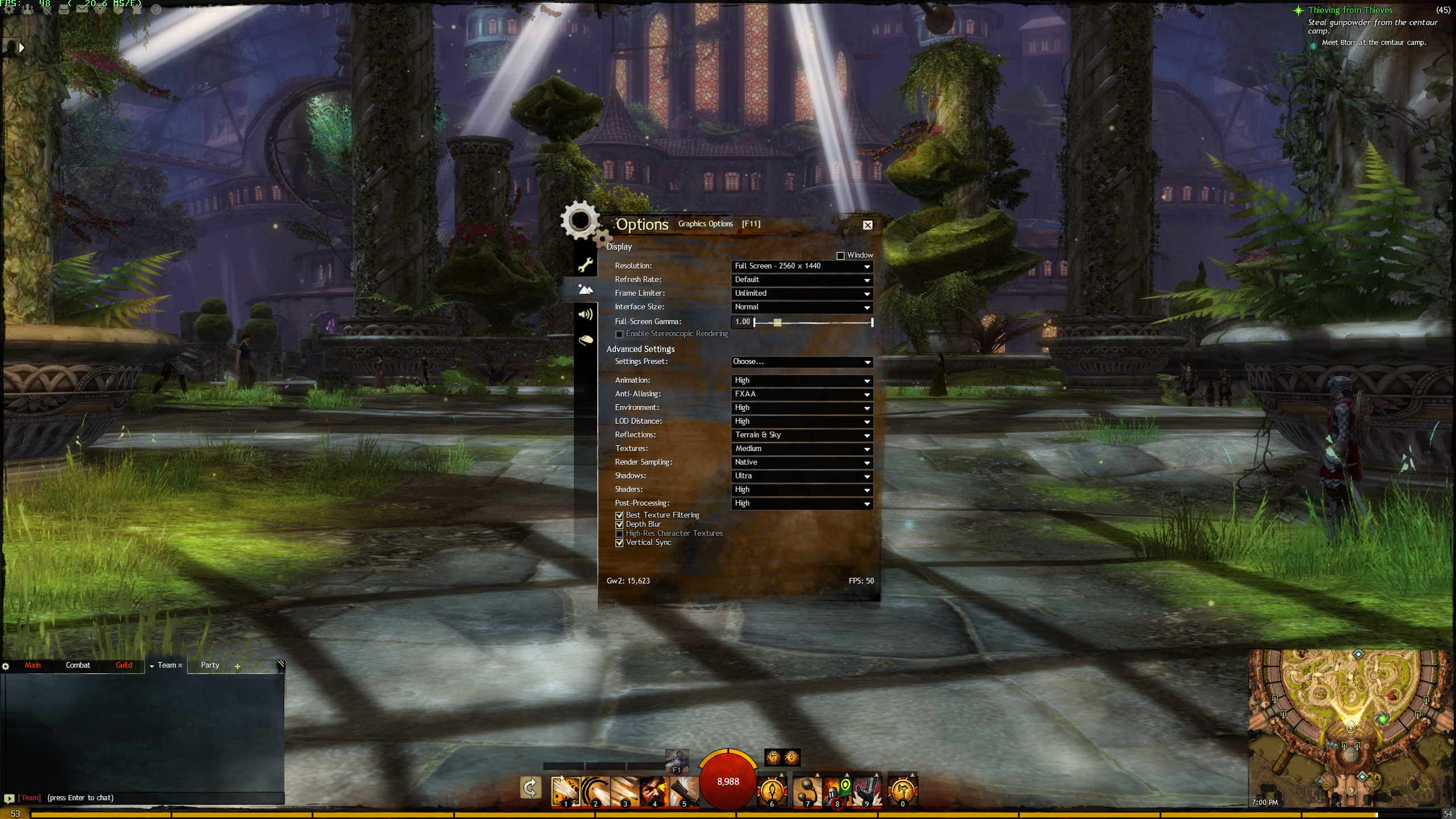
Here are my screenshots -
MTD3D = “0”
Attachments:
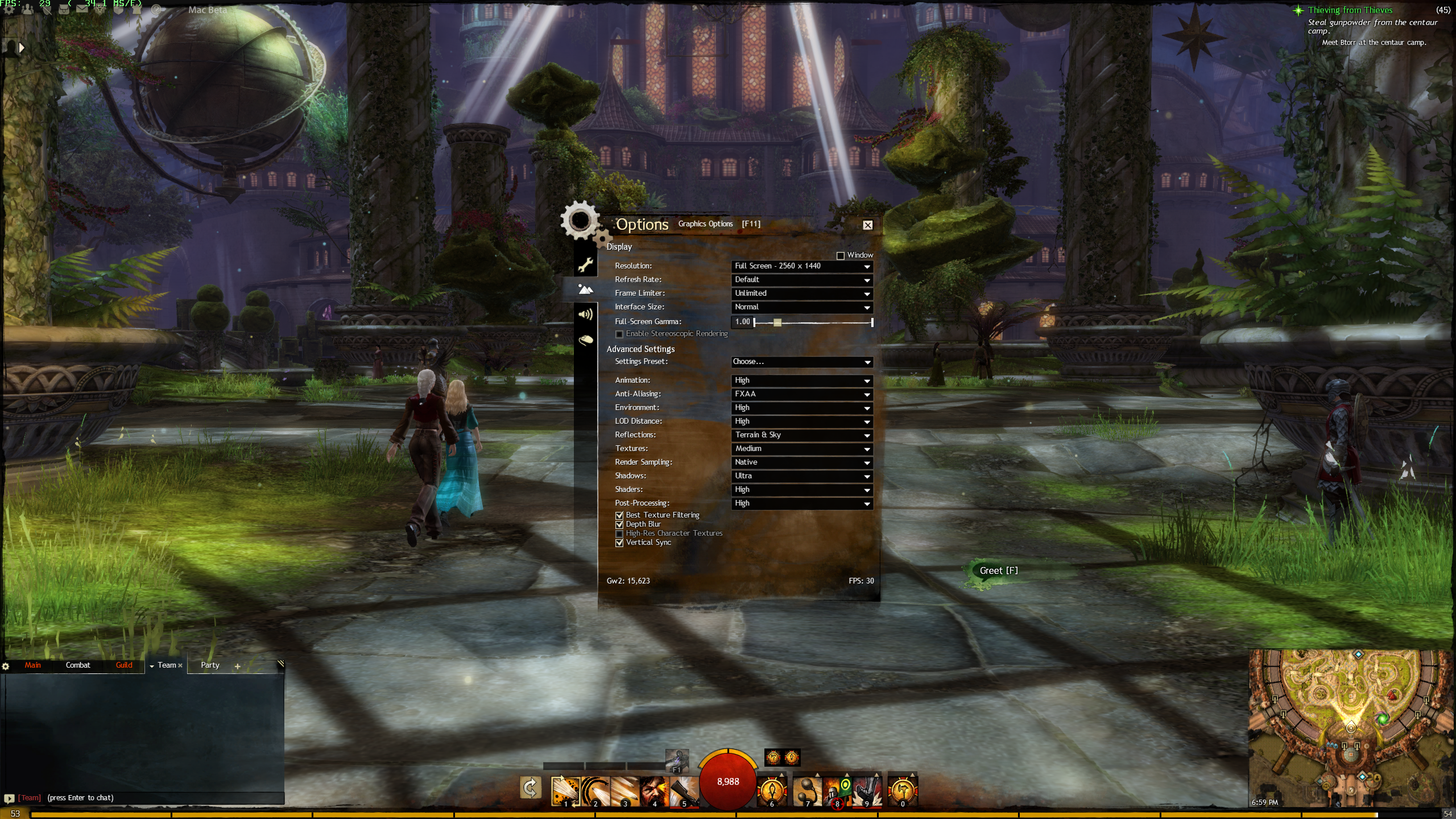
I think that setting is the same as enabling “Multithreaded OpenGL” in some cider game ports like EvE Online. It loads my processor about 35% more when enabled…e.g. the cider process is using about 285% on average.
I hope this doesn’t upset the mac Devs, but I was playing around with the Cider config file trying to improve performance. The one setting on my system that made the most dramatic improvement (8-16pfs increase) was setting “MTD3D=1”. This is the config file in your <home>/Library/Application Support/Guild Wars 2/ directory.
Disclaimer, I do have a i7 hackintosh, so your mileage on a real mac might vary.
For a frame of reference, running around in the courtyard under the large glass dome in Divinities Reach, I’m getting a solid 45 – 55fps with MTD3D-1. With it set to “0” which is the default, I see around 30 – 38fps under the same conditions.
My box is a i2700 @ 4.5 Ghz and a GTX 680 using the latest Nvidia drivers for 10.8.2.
I’m driving a 2560×1440 display with all graphics settings set to High/Ultra.
HackPro 2700k @ 4.3Ghz, 16gb RAM, Radeon HD6780 1gb
Played a lot with various settings and have settled on playing in a window sized at 2048×1152 on my 27" lcd.
Graphics Settings are:
Animation – Low
AA – FXAA
Environment – Med
LOD Distance – Med
Reflections – Terrain & Sky
Textures – Med
Render Sampling – Native
Shadows – None
Shaders – Low
Post Processing – Low
Vertical Sync – Enabled
I’m getting a solid 60fps in most places. Dips and micro stutter when changing areas but not bad at all. Really busy complex cities and scenes take it to 40/45fps. If I don’t have vert sync on it spikes to well over 110 and heats up the card too much for my liking. I played a bit in WvW and was seeing a solid 30fps with battles of 50 – 75 people around and area effects on.
All in all very playable/enjoyable, but I can see where this might disappoint those on lesser spec systems (most).
If your playing on an 27" iMac I highly recommend playing in a window to reduce the amount of pixels you need to sling around. I’ve played worse cider ports.