I have been doing nothing but crashing since the jubilee release. I can play all my other games without issue, but GW2 is a crashfest for me. I have a solid PC that is mostly Corsair components.
Win 7 64bit Pro
i7 2600k 3.4Ghz cooled by an H100
EVGA GTX 570
16G Corsair Vengence 1600Hz
Playing GW2 off an Intel SSDPlease fix your game Anet!
if the game had problems the forums should have thousands forum posts say the same every day.
i am just a player of the game that read daily the tech forums and i can easily say that there is the minority of its player-base that has problems and most of the times these problems are player side and not anet’s side .
except this clarification , can you create a dxdiag log file and post it here to see more informations about your pc ?
you can upload a file by using the [More Posting & Formatting Options …] under the post replay
(To find your DxDiag, Start>Run and type ‘DxDiag’ without the quotation marks and ‘Save all Information’ )
(edited by Reborn.2934)
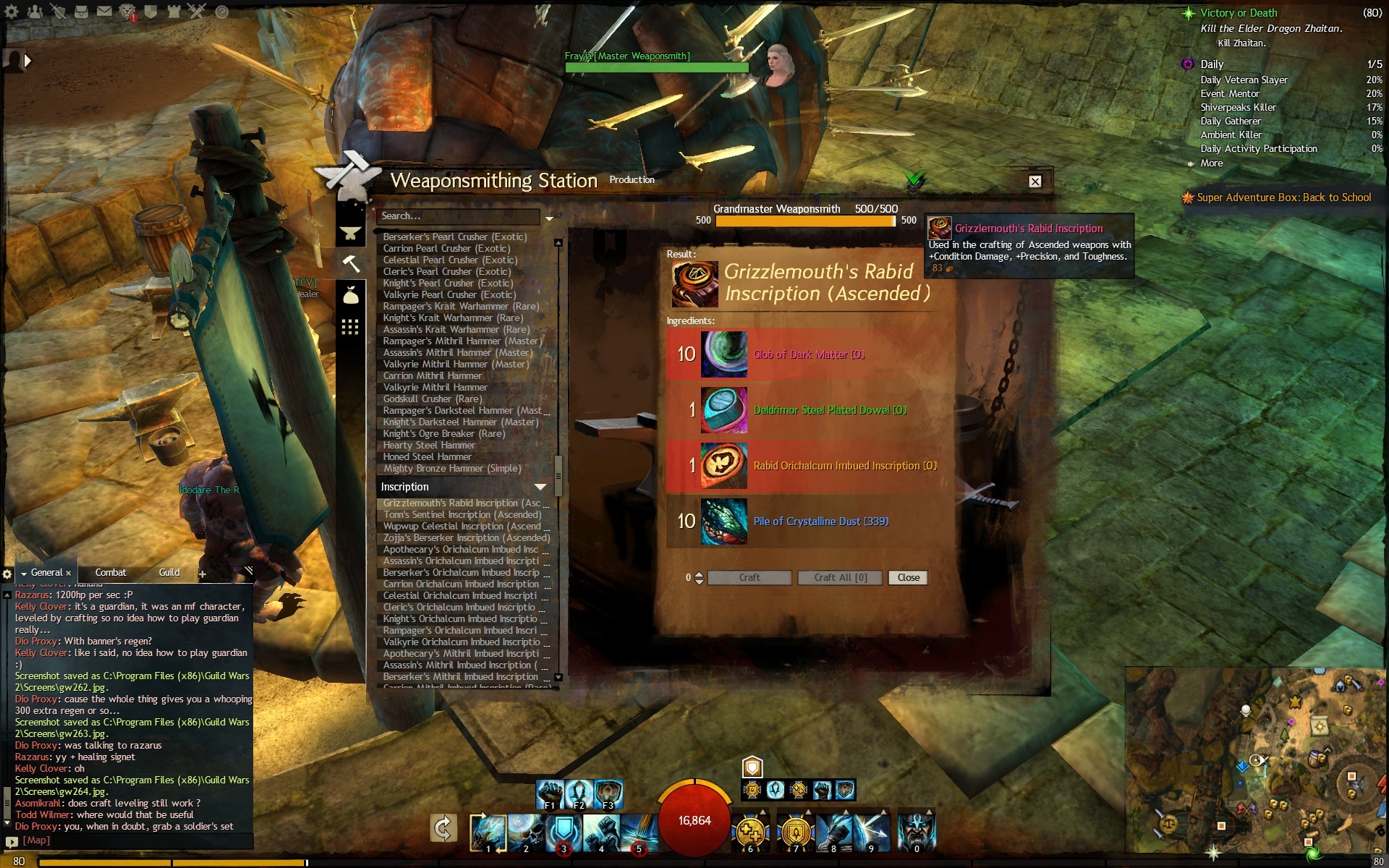
I don’t know if i am the first GrandMaster Weaponsmith ( sure i am not ) ,but i am the first that i am posting photos of 500/500 GrandMaster Weaponsmith 
Good Luck to all
tip : if you forgot to buy pile of crystalline dust , it is time to start buying some pieces now , tomorrow will be too late 
Attachments:


(edited by Reborn.2934)
Sorry… FX-4170 is hardly upgrade over the old Phenom II series CPU. FX-4170 is 2 cores total 4 modules, IPC is terrible. Your CPU is easily beat by Core i3 CPU from Intel.
Hence which is why you don’t see performance improvement.
2 module/4 core.
@MinkyMike – It’s all about adjusting your expectations with this game.
Current talk being tossed about is disabling core parking to help performance. After than it’s adjusting down the graphic settings that are very CPU dependent which is reflections, shadows and player culling.
By latest drivers do you mean latest beta 13.8 or latest WHQL 13.4? There were some reports of problems with 13.8 on some cards.
The FX-4170 should perform better than the Athlon II 255 simply because it is a quad core.
I’m using the 13.4 drivers. I dont do beta drivers have had to many issues with them in the past. I also tried what people suggested and disabled cpu parking. Even on the lowest settings I still get 10-15 FPS. Meh guess I will try playing the game again in another year and see if anythings changed.
i asked for your dxdiag file . can you give it us to help you ?
if you dont give us , then nobody can help you
I’m currently on a US server. It’s IP address (/IP) is 64.25.33.61, you can ping that. Now all you need someone from an EU server to do the same thing and report their server’s IP address.
dont ping it . it will not respond . they have firewalled the address to prevent ddos attacks
i just opened in 3d the game and looks fantastic ( it is going brighter but by lower the gamma it corrects it ) .
i am not used any pc software just my tv’s 3d converter . the only action i did was to connect via hdmi the tv to my pc ( must be full hd ) and set as main the tft tv . after that i opened the game and i did the conversion via tv and it is just fine 3d .
chat , character and characters , banners , skill bar are in the the front view and the environment is in the background ( of course is not a 3d game so it is the best that i can see )
i have the lg 47" lm615s ( a 2012 tv that is very cheap now and it has excellent screen but garbage sound and i am using external devices for the sound )
(edited by Reborn.2934)
the CLOCK_WATCHDOG_TIMEOUT error Microsoft says that there is something wrong in your pc*
in this Microsoft link you can read the reasons why you have bsod ( blue screen of death ) : http://msdn.microsoft.com/en-us/library/windows/hardware/ff557211(v=VS.85).aspx
in this ms link Microsoft says that the operating system " has shut down abruptly to protect itself from data loss "
and as solution it gives these actions :
"
These actions might prevent an error like this from happening again:1.Download and install updates and device drivers for your computer from Windows Update.
2.Scan your computer for computer viruses.
3.Check your hard disk for errors."
- ( I hope you understand that if the client’s software was wrong nobody should be playing the game , but it happens the opposite and a very small minority still have problems )
I’m looking for a little more than googling the error messaging and pasting in the first response. I’ve already done quite a bit of googling, hence the temperature monitoring, memory checking, etc.
Just to add a little more detail: My CPU and GPU are both around 73C while playing. I know that’s a bit high but I see the same thing is Skyrim with no blue screens. CPU load is always below 50%.
I saw another forum user mention a possible issue with wireless so I switched to LAN. I also dusted off the inside of my machine just in case.
Has anyone else had the GW2-only blue screens?
73 degree Celsius is not normal , because every degree higher than the physical temperature lower the life of the chip .
this is the reason where in every server room the temperatures must be around 20 and 25 degree Celsius
you have drivers ( nvidia ) problem . check this thread how to update the vga drivers
https://forum-en.gw2archive.eu/forum/support/tech/Are-your-drivers-up-to-date/first#post3965
basically you want only this line :
Nvidia Autodetect: https://forum-en.gw2archive.eu/external?l=http%3A%2F%2Fwww.geforce.com%2Fdrivers (Click “Auto-Detect your GPU”)
and i have my vga in full load and oc’ed with msi afterburner 60 degrees without problems …
maybe it is not hardware problem or fan problem but driver problem .
check the sticky thread ( https://forum-en.gw2archive.eu/forum/support/tech/Are-your-drivers-up-to-date/first#post3965 ) how to update the drivers easy and remember ( close antivir when you upgrade and always choose reinstall not just upgrade ) .
also check for dust of problematic fan the vga
your porblem is that your directx has not the directx 9c version that needs the game .
install the missing files with this microsoft web installer for directx ( needs access to internet )
http://www.microsoft.com/en-us/download/details.aspx?id=35
also it could be good to update your drivers by using the instructions in how to update the drivers in this sticky thread https://forum-en.gw2archive.eu/forum/support/tech/Are-your-drivers-up-to-date/first#post3965
update the nvidia & intel drivers .
follow the instructions in this sticky thread on how update the vga drivers
where it says
Nvidia Autodetect: https://forum-en.gw2archive.eu/external?l=http%3A%2F%2Fwww.geforce.com%2Fdrivers (Click “Auto-Detect your GPU”)
Intel Autodetect: https://forum-en.gw2archive.eu/external?l=http%3A%2F%2Fwww.intel.com%2Fp%2Fen_US%2Fsupport%2Fdetect%3Fiid%3Ddc_iduu
(edited by Reborn.2934)
…..
All these “MEGA” bosses now just enters in and stays stagnent on the spot until they die. This sort of dulls out any excitment which players get and also puts an end to the adrenaline from those wonderful entrances those bosses comes in with.
…..
i agree with you . world bosses must be real mother f@@kers . they must hunt all players in a certain area like agrro mobs do
people should learn to add to their friend’s list players that play well , because there is a function in friends list where someone can give nicknames .
add people who knows well or play good in your friends list and play with them or just choose their party when you see them in lfg tool .
also don’t be afraid for wipes . wipes is the normal procedure for someone to learn his character and the game and also the hard try is more enjoyable than the play with guides …..
go back to your rpg / mmo roots guys and remember ….
(edited by Reborn.2934)
i have already something that checks my temperature ASUS GPU TWEAK and it stays around 70 degrees is that too hot ?
read by your self http://www.tomshardware.co.uk/forum/393972-33-black-screen-degrees
install the msi afterburner and see what temperatures you have in your vga .
Europe servers are in Frankfurt of Germany and USA servers are in Austin Texas .
if i open the world map that Sydney ( en example ) from Frankfurt have 16472.28 km distance and Sydney from Austin have 13620.02 km distance .
the two distances are very big but the server you choose is about 25% farther than the usa’s .
also there are some options to lower your ping .
1. use a custom vpn tunnel or buy this service by month . i am not recommend it . it is too much for mmo
2. reduce the number okitten that the tcp packets send as described in these two ms kb http://support.microsoft.com/kb/Q214397 and http://support.microsoft.com/kb/Q823764
from the second link there is a method that disable the nagle’s algorithm
Alright, so I just installed Windows 7 Ultimate RTM (7600). I noticed in some of the games I frequent (sadly WoW being the main one) that I was sitting around 112ms~ latency. Much like HDTV buffs notice the most minute imperfections in video, gamers can basically feel the delay between when they enter a command and when their game performs the intended command. You can essentially cut your latency in half by disabling Nagle’s Algorithm… I dropped down to a 53ms~ average.
By default all current Microsoft operating systems have Nagle’s Algorithm enabled. For gamers playing games that utilize TCP packets to transmit data, such as WoW, this can be a bit of a hinderance. So here is how to go about disabling it in Windows 7… you’ll need to go into your registry editor, which to be honest, if you don’t know what you’re doing, can become quite scarey as you can really hose things up if you’re careless. However if you follow this step by step, and refrain from slamming your face on the keyboard while swinging your mouse around like you’re trying to rope cattle, you’ll be fine. Also keep in mind that you’ll need administrative privelages to get into the registry editor.
1. To get into the registry editor, go to Start > Run > Type: regedit
2. Browse to: HKEY_LOCAL_MACHINE\SYSTEM\CurrentControlSet\Services\Tcpip\Parameters\Interfaces
Here you will see your network interface devices listed as random characters. The only way to really identify which one you want to modify is to click on each one and search for your IP configuration information in the right pane (ie. IPAddress > 192.168.0.100).
3. You will need to create two new entries for this interface. You can do this by right-clicking the interface in the left pane and going to New > DWORD (32-bit) Value**.
Name the first one “TcpAckFrequency” (case sensitive).
Name the second one “TCPNoDelay” (again, case sensitive).
4. As you create these, they will appear in the right pane of the registry editor. You want to double-click each of your new values and set their ‘Value Data’ to “1”, and leave “Hexadecimal” checked under ‘Base’.
5. Exit your registry and reboot.
Notice: This can adversely effect other types of internet usage such as streaming video (ie. Hulu), further research on your part will provide more information.
**You will use DWORD (32-bit) values regardless of your operating system architecture, 32-bit or 64-bit. Do not use QWORD (64-bit) values.
if you have problem watch this video http://www.youtube.com/watch?v=0oDdagykUVM
if this what you ask . double mouse left click on target start auto attacking
also there is an option in options menu that it enables or disable the auto attacking
change the power options with the settings of the first link in my previous post and check again please .
but you must know that different maps have different performance because the instances created with different options (they have more or less hardware resources in their server farm ) .
i happy that i help and as i said in other thread where a player found the problem with cpu_parking is coming from a very bad default power option in win 7,8 that keeps when the pc is plugged the pci cards in not high perfomance state but in balanced.
this alone creates many performance issues when player choose to play games because the vga ( pci card ) has not full power to work
if someone must blamed is the microsoft’s dev that set in balanced power option when the pc is plugged in ac to not have high performance settings
(edited by Reborn.2934)
if you have win 7 or win 8 run the game as administrator ( right click and choose run as administrator )
also tweak the power option to high performance as you can read here http://www.sevenforums.com/tutorials/774-power-plan-select.html
all thw tweaks ( is for win 7, 8 and some for win xp ) are here : http://www.sevenforums.com/tutorials/11728-optimize-windows-7-a.html
(edited by Reborn.2934)
if you want find what other players or anet suggested for tweaks read this reddit post
Any suggestions? I suppose I’ll just have to wait for newer drivers, but I really rather try something now…
How does GW2 determine the use of multiple screens? Why would this work on a certain driver + OS, but not on another? Is there some kind of cvar I could use to force detection of triple-screen (opposite of the one that tells GW2 to ignore it)?
i dont think you asked to run the game in three screens , but there is an option to use this line argument
-uispanallmonitors
where Spreads user interface across all monitors in a triple monitor setup.
this tip is coming from wiki : http://wiki.guildwars2.com/wiki/Command_line_arguments ,
where explains how to run the game with line argument .
run the game if you have more screens to spread the game and give us feedback if you want please
if you lower the 3 last settings ( the slide bar to the left ) in audio options then the client decide to not play the sounds when it has many computations to do .
you can read my thread of why this happening and how audio affects the lag in www zerg fights here : https://forum-en.gw2archive.eu/forum/support/tech/7-years-old-PC-without-LAG-in-WWW-1080p/first#post2636642
there are many parts , feel free to read them all to understand why if you buy a external audio pci card you will have a very stable and more fps gaming
(edited by Reborn.2934)
it was server side issue and they fixed
it was server side issue and they fixed it
also , there are may posts in account issues about this error and i think it is not in the right section
can you create a dxdiag log file and post it here to see more informations about your pc ?
you can upload a file by using the [More Posting & Formatting Options …] under the post replay
(To find your DxDiag, Start>Run and type ‘DxDiag’ without the quotation marks and ‘Save all Information’ )
sweet find OP . this proves that win 7,8 is not optimized for games ….
everyone can see that in all recent windows ( 7, 8 ) the power options is set to balanced by default, even you have a gamer pc … and this tweak just do the same as you adjust to advanced the default power option ( balanced ) and change some values to high performance when it is plugged ….
many players are saved by mobo or vga’s drivers programs that change the default power options 
(edited by Reborn.2934)
can you create a dxdiag log file and post it here to see more informations about your pc ?
you can upload a file by using the [More Posting & Formatting Options …] under the post replay
(To find your DxDiag, Start>Run and type ‘DxDiag’ without the quotation marks and ‘Save all Information’ )
can you create a dxdiag log file and post it here to see more informations about your pc ?
you can upload a file by using the [More Posting & Formatting Options …] under the post replay
(To find your DxDiag, Start>Run and type ‘DxDiag’ without the quotation marks and ‘Save all Information’ )
can you create a dxdiag log file and post it here to see more informations about your pc ?
you can upload a file by using the [More Posting & Formatting Options …] under the post replay
(To find your DxDiag, Start>Run and type ‘DxDiag’ without the quotation marks and ‘Save all Information’ )
can you create a dxdiag log file and post it here to see more informations about your pc ?
you can upload a file by using the [More Posting & Formatting Options …] under the post replay
(To find your DxDiag, Start>Run and type ‘DxDiag’ without the quotation marks and ‘Save all Information’ )
give us please your dxdiag log file
(To find your DxDiag, Start>Run and type ‘DxDiag’ without the quotation marks and ‘Save all Information’ )
is you directx updated , can you obtain and post here your dxdiag log ?
(To find your DxDiag, Start>Run and type ‘DxDiag’ without the quotation marks and ‘Save all Information’ )
is there any free space to hard drive where you want to install ( it needs 25 gb free disk ) ? do you have rights to write the disk where you install the game ?
also a dxdiag file it will help us .
(To find your DxDiag, Start>Run and type ‘DxDiag’ without the quotation marks and ‘Save all Information’ )
upload it by pressing [ more posting & formatting options..] under post reply
can you create a dxdiag log file and post it here to see more informations about your pc ?
you can upload a file by using the [More Posting & Formatting Options …] under the post replay
(To find your DxDiag, Start>Run and type ‘DxDiag’ without the quotation marks and ‘Save all Information’ )
Are you getting any crashes? Do you have a crash log available? (ArenaNet.log under my documents/guild wars 2)
If anything recent in there, could you post it using more posting & formatting options below.
after you follow these instructions OP it will be nice to read your dxdiag log file .
(To find your DxDiag, Start>Run and type ‘DxDiag’ without the quotation marks and ‘Save all Information’ )
is there any log in your game’s folder ?
you can post it by using the [more posting & formatting options] under the post replay
also it will help us if you post you dxdiag log of your pc
(To find your DxDiag, Start>Run and type ‘DxDiag’ without the quotation marks and ‘Save all Information’ )
Thanks for the “help” but if you read my post it would have saved you from typing all that out, as I’ve already repaired, and completely re-installed the game.
i also said for the verify line argument as you can read in this wiki thread :
http://wiki.guildwars2.com/wiki/Command_line_arguments
two different procedures and runs of shortcut because the repair is used to checks the game files for errors and repairs them as needed. and the -verify used to verify the .dat files
can you upload any log file that it is in game’s folder by using the [More posting & Formatting options … ] under of [Post Reply] ?
also if you have low bandwidth internet speed and available hard disk space you can use the -image line argument that it will download all the data in your pc , that is around 25 gb and not the default that is 16 gb and this will lower the zone times because it will not wait from internet to download but it will load from hard disk .
also if you have the game in a different ssd disk as partition other than c: that still is on a hard disk you are not see any changes in zoning times because the game is using a lot the game cache files that are located in user’s profile in c:\ as i wrote in my performance thread advices : https://forum-en.gw2archive.eu/forum/support/tech/7-years-old-PC-without-LAG-in-WWW-1080p/first#post2640737
So, basically I’ve been building a new PC and I would like some views on this and if it’d be decent for GW 2 (WvW especially) and many other games like Crysis 3 and Metro, TERA.
Tower: Coolermaster Trooper Black Full Tower Gaming Case
Motherboard: Asus Maximus VI Hero, Intel Z87 Chipset, SLI and CrossFireX support
CPU: Intel Core i7 4770K, Haswell, 3.5GHz, Quad Core with HT, 8MB Cache – Overclocked @ 4.4Ghz
CPU Cooler: Corsair H100i Hydro
RAM: 16GB (2×8GB) Corsair Vengeance Pro Silver, 2133MHz
Graphics Card: 6GB EVGA GTX Titan SC, 876MHz GPU, 2688 Cores, 6008MHz GDDR5
PSU: 850W Corsair Pro HX. Modular, 80PLUS Gold, 90% Efficiency
SSD: 256GB Samsung 840 Pro, Read 540MB/s, Write 520MB/s
HDD: 1TB Seagate Barracuda, SATA 6Gb/s, 7200rpm, 64Mb Cache
Soundcard: Asus Xonar Essence STX, Audiophile Sound Card
Operating System: Microsoft Windows 7 Professional 64 Bit
Just a note, the only reason I’m getting an 850W PSU is purely if I decide to add anything else in the future.
Thanks!
the titan has full load power consumption 782 watts in SLI , from this link http://www.tweaktown.com/articles/5409/evga-geforce-gtx-titan-6gb-superclocked-video-cards-in-sli/index21.html
so 850 watts are TOO few for your pc if you decide to add one more for sli in the future , you need more POWER for sli .
alone the titan consumes 500+ watt in full load
(edited by Reborn.2934)
arenate.log that is located in your game’s folder will tell us what cause the problem
Thanks Chris, but this does not answer my question.
if you don’t tell us your location how can we answer you ?
currently the servers have two locations . first is in USA and second is in Europe
you have damaged game data file ( GW2.dat)
“File 0×13aea stream 0×0 is corrupt
Raw file 0×00013aea:0×00013aea has CRC 0×352b1fdc.
Deleting file 0×00013aea
"
you must do a repair and verify the client follow this procedure to create a new shortcut with this options
how create new shortcut with command ;
right click on your existent gw2 shortcut , choose tab shortcut and press
find target .
it will open the folder where the game installed . there , you right click the
GW2.exe and choose send to > desktop create shortcut .
after that you can find the new shortcut in your desktop . right click on it
choose again shortcut tab and add the -repair after the command in
target line . it will be like this :
“c:\\Program Files (x86)\Guild Wars 2\GW2.exe” –repair
there is a space after the second “ and please don’t copy paste the whole
line above . maybe it is different the path in your pc.
just add the : -repair
after that ( the repair ends after 10 minutes ) do a verify shortcut by changing the word repair with the word verify : -verify
and run again the client . after that your game data should be fine to play
I currently use a Radeon HD 6950 2 GB card. It’s somewhat outdated but has mostly worked well for me over the past year.
I would like to get a newer card, though, and I’m wondering if it’s worth it as I’ve read that GW2 is CPU bound. I’ve already overclocked my processor to 4.5 ghz to get some extra performance and everything runs great in most of the game apart from crowded places like Lion’s Arch (25-45fps) and WvW.
I primarily want to get better graphics performance in WvW. Any advice?
Thanks.
if you want maximize your fps in www and game still looks fantastic follow my advices in my thread https://forum-en.gw2archive.eu/forum/support/tech/7-years-old-PC-without-LAG-in-WWW-1080p/first#post2636642 where I describe how I can play with a 7 years old pc in www zergs without lag at all
and the advices in the post https://forum-en.gw2archive.eu/forum/support/tech/7-years-old-PC-without-LAG-in-WWW-1080p/first#post2640737
note : maybe the no antivirus solution is not recommended and you can skip it but it is up to you
(edited by Reborn.2934)
getting a black screen randomly between 5min-2 hours I have tried pretty much everything processor AMD fx 8120 eight core processor graphics card AMD ASUS HD 7670 I play with some settings at medium and the rest at low, vsync on and 60hz usually get around 40-60 fps been having this issue for a while with no fix, and it seems like a lot of people are, so hopefully anet can help out or do something about it, my router is a netgear router and I heard that can cause problems but that’s all I know, I used to play gw2 like 6 months ago without this issue but then I took a break, and know when I want play again im getting random black screens, I really need help with this issue, thanks.
forgot to mention that my gpu is going up to about 60 c and my processor is going up to 60 c aswell.
it seems that you have a damaged installed operating system .
solution
back up any static data that you want for any reason to loose and after that boot with windows cd /dvd to repair the windows
for win 7 this is the procedure : http://windows.microsoft.com/en-US/windows7/Start-your-computer-from-a-Windows-7-installation-disc-or-USB-flash-drive
for win xp ( is the second method ) : http://support.microsoft.com/kb/314503
for win 8 I didn’t find a solution online except to restore from an earlier restore point
I don’t suggest laptops for gaming as a main gaming pc because the high temperatures from continuously gaming affects the life of parts inside laptop , but if the situations need to buy a laptop the price of the above laptop is very good and it will play for sure the game smoothly ….. today
in three years I don’t know
the CLOCK_WATCHDOG_TIMEOUT error Microsoft says that there is something wrong in your pc*
in this Microsoft link you can read the reasons why you have bsod ( blue screen of death ) : http://msdn.microsoft.com/en-us/library/windows/hardware/ff557211(v=VS.85).aspx
in this ms link Microsoft says that the operating system " has shut down abruptly to protect itself from data loss "
and as solution it gives these actions :
"
These actions might prevent an error like this from happening again:
1.Download and install updates and device drivers for your computer from Windows Update.
2.Scan your computer for computer viruses.
3.Check your hard disk for errors.
"
- ( I hope you understand that if the client’s software was wrong nobody should be playing the game , but it happens the opposite and a very small minority still have problems )
the error is on module d3d9.dll that is the core of directx9 module and it gaves many files missing .
first try the -repair and if you have time the -verify line argument in client .
if this is not helped then try to update the directx 9 files in win8 ( only for genuine win8 ) by following this link with internet explorer only
support.microsoft.com/kb/179113/
in the middle of the page there is a link : http://www.update.microsoft.com/windowsupdate/v6/vistadefault.aspx?
after that i can not continue since i have xp and it blocks me .
also win 8 is a new operating system and the game is based in directx9 api that is a xp feature try to run the client in xp sp3 compatibility mode.
[how to run a game in xp sp3 comptibility mode]
you are locating the shortcut that you are running the game and you do right click on it and you choose the last option ( properties ). it will open the poperties and you change to tab compatibility. in this window you enable ( tick) the : run this game in compatibility mode for: and you choose xp sp3 or xp sp2
and then apply and run .
if it crashed run the repair client if it needs to change some files in dat file and run it again.
but if all of these fail try to find a more powerful psu because the 660ti need two cables +6 volt and only this card consume from psu 450 watt + 87 wat the cpu + the other devices and you are above of your psu limit ( 550 watts )
basically maybe the win8 installation may have corrupted from your psu ( there are many errors in the first log from the win8 ) . if you see that with new one psu all are fine try to reinstall the windows with the new psu and update everything from the start .
after the new installation first you install all the drivers and then you do windows update because only micros0ft knows what drivers and with what features install with windows update
(edited by Reborn.2934)
the error is located to Module: d3d9.dll
this dll is the core of directx 9 that shipped with win xp . try to update the directx
the online method that is genuine check ( warning if you have not genuine win 8 )
http://www.update.microsoft.com/windowsupdate/v6/vistadefault.aspx?ln=el-gr as descripted in this ms kb http://support.microsoft.com/kb/179113
after that you must uninstall the game and restart ( better option is to copy the GW2.dat file ( ~ 17 gb ) in your game’s folder somewhere else . uninstall and dowload the again the installer from the link in your account . when it update the installer press th x on the right up corner to stop and copy back the dat file in the game’s folder.
then update the vga drivers .
It’s 32-bit because NCSOFT is an Asian company, GW2 is coming to Asia and XP is still 30% of the OS market share there.
ORLY ? tell us n mmo that has 64 bit client PLEASE ….
i am still waiting to see the crash log from the open poster …..
World of Warcraft
That’s all I got lol
the 64 bit version client for WOW was in BETA STATE for 1 YEAR from 2012 until this year from a company that had for 8 years from their subscribers a monthly fee and with a huge budget behind !!!
good try wow-troll but you failed because this game is in its first year …. anet is not even in nasdaq as blizzard is .
i would like remind you that wow servers on its launch in 2004 was down every day for one month …
personally i don’t want quote me again > https://forum-en.gw2archive.eu/members/Espionage-3685/showposts
next time you think that you can “play” with me, i will report you
(edited by Reborn.2934)
second issue is the operating system . it gives ( win 8 64 bit again
) to many errors as it seems that it is not patched or fixed from ms if you ahve done the updates …..
I’ve played GW2 without any issue on 7, 8, and 8.1. I can almost assure you Windows 8 on its own is not the issue…
you are the guy that i answered or you are playing from his pc ?
read first his errors and answer after , but READ ….
"
———————-
Diagnostics
———————-
Windows Error Reporting:
+ WER0 +:
Fault bucket -1124588525, type 5
Event Name: RADAR_PRE_LEAK_WOW64
Response: Not available
Cab Id: 0
Problem signature:
P1: TLR.exe
P2: 1.0.515.0
P3: 6.2.9200.2.0.0
P4:
P5:
P6:
P7:
P8:
P9:
P10:
+ WER1 +:
Fault bucket -1087400797, type 5
Event Name: PnPDriverNotFound
Response: Not available
Cab Id: 0
Problem signature:
P1: x64
P2: PCI\VEN_10DE&DEV_1183&SUBSYS_11831569&REV_A1
P3:
P4:
P5:
P6:
P7:
P8:
P9:
P10:
+ WER2 +:
Fault bucket -579024833, type 5
Event Name: MpTelemetry
Response: Not available
Cab Id: 0
Problem signature:
P1: 2152759308
P2: unspecified
P3: ScanFile
P4: 4.3.215.0
P5: Windows Defender (77BDAF73-B396-481F-9042-AD358843EC24)
P6: unspecified
P7: unspecified
P8:
P9:
P10:
+ WER3 +:
Fault bucket -579024833, type 5
Event Name: MpTelemetry
Response: Not available
Cab Id: 0
Problem signature:
P1: 2152759308
P2: unspecified
P3: ScanFile
P4: 4.3.215.0
P5: Windows Defender (77BDAF73-B396-481F-9042-AD358843EC24)
P6: unspecified
P7: unspecified
P8:
P9:
P10:
+ WER4 +:
Fault bucket -579024833, type 5
Event Name: MpTelemetry
Response: Not available
Cab Id: 0
Problem signature:
P1: 2152759308
P2: unspecified
P3: ScanFile
P4: 4.3.215.0
P5: Windows Defender (77BDAF73-B396-481F-9042-AD358843EC24)
P6: unspecified
P7: unspecified
P8:
P9:
P10:
+ WER5 +:
Fault bucket -579024833, type 5
Event Name: MpTelemetry
Response: Not available
Cab Id: 0
Problem signature:
P1: 2152759308
P2: unspecified
P3: ScanFile
P4: 4.3.215.0
P5: Windows Defender (77BDAF73-B396-481F-9042-AD358843EC24)
P6: unspecified
P7: unspecified
P8:
P9:
P10:
+ WER6 +:
Fault bucket -907000238, type 5
Event Name: CLR20r3
Response: Not available
Cab Id: 0
Problem signature:
P1: mvpcontrolpanel.exe
P2: 2.1.221.24927
P3: 50ae66eb
P4: GuiCommon
P5: 2.1.221.24927
P6: 50ae66df
P7: 117
P8: 0
P9: System.DllNotFoundException
P10:
+ WER7 +:
Fault bucket 85123347, type 4
Event Name: APPCRASH
Response: Not available
Cab Id: 0
Problem signature:
P1: MVPControlPanel.exe
P2: 2.1.221.24927
P3: 50ae66eb
P4: GpuEnumerator.Dll
P5: 2.1.221.24927
P6: 50ae6707
P7: c0000005
P8: 00000000000160e7
P9:
P10:
+ WER8 +:
Fault bucket 85123347, type 4
Event Name: APPCRASH
Response: Not available
Cab Id: 0
Problem signature:
P1: MVPControlPanel.exe
P2: 2.1.221.24927
P3: 50ae66eb
P4: GpuEnumerator.Dll
P5: 2.1.221.24927
P6: 50ae6707
P7: c0000005
P8: 00000000000160e7
P9:
P10:
+ WER9 +:
Fault bucket , type 0
Event Name: APPCRASH
Response: Not available
Cab Id: 0
Problem signature:
P1: MVPControlPanel.exe
P2: 2.1.221.24927
P3: 50ae66eb
P4: GpuEnumerator.Dll
P5: 2.1.221.24927
P6: 50ae6707
P7: c0000005
P8: 00000000000160e7
P9:
P10:
"