Well the best cpu of amd can handle it pretty good. I’ve the FX-8350 too here and it runs the game like a Porsche.
But i see again a geforce having problems :P
So letting your graphic card running at a lower clock frequencies solved the problem…. So nvidia isn’t that good after all if they make cards that can’t run the standard settings :P
Has you can see, mine works fine. Maybe the anti aliasing you guys uses is the one from the driver and not from the game. Anyway, not all the 7xxx serie has this problem
Attachments:

In the attachments you can see my info about the CCC drivers.
Make sure for the 3D settings you let the application handle it. If you force it, you can get weird stuff
Attachments:
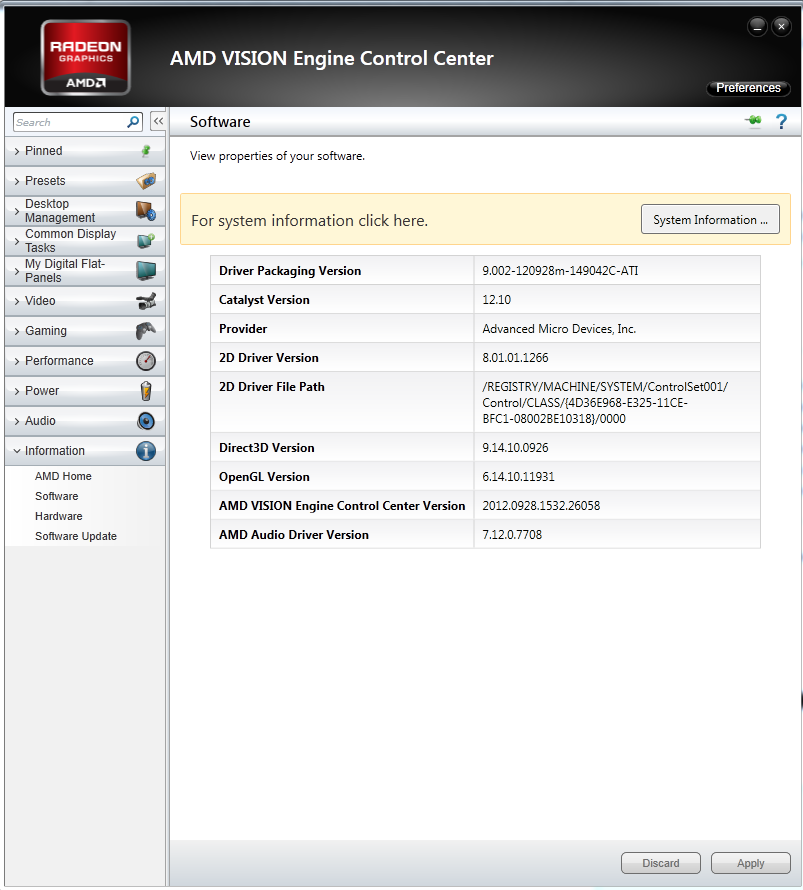
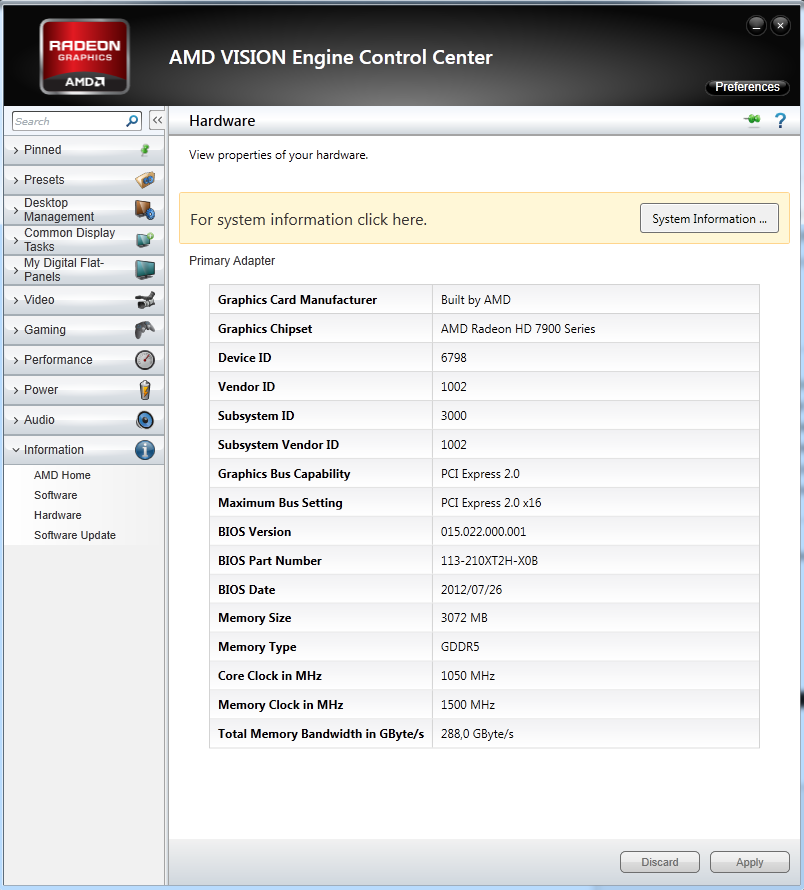
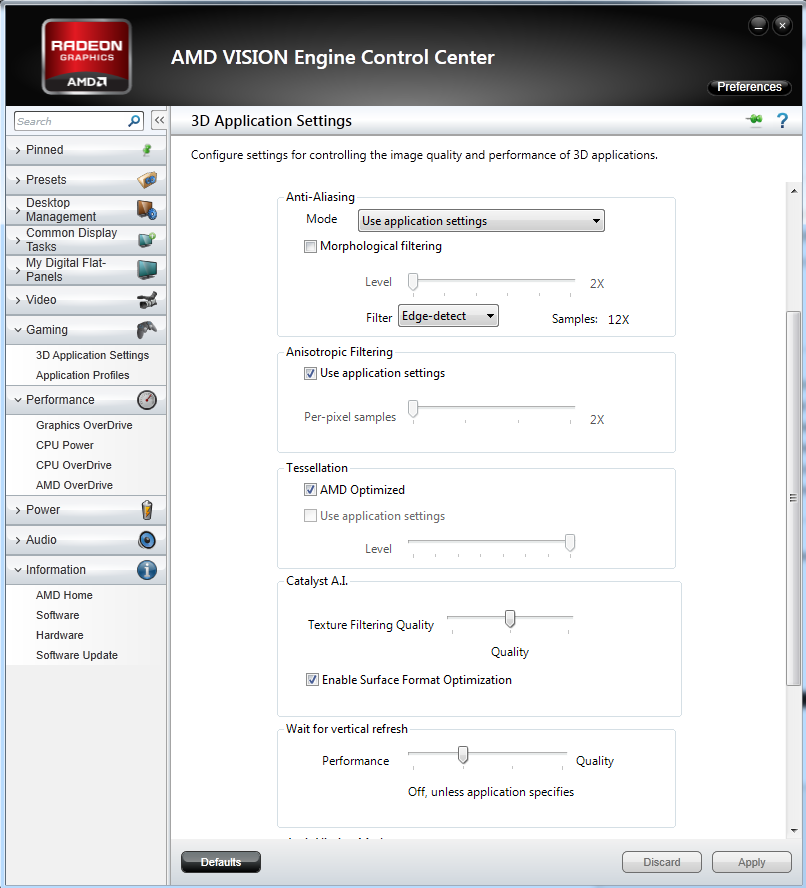
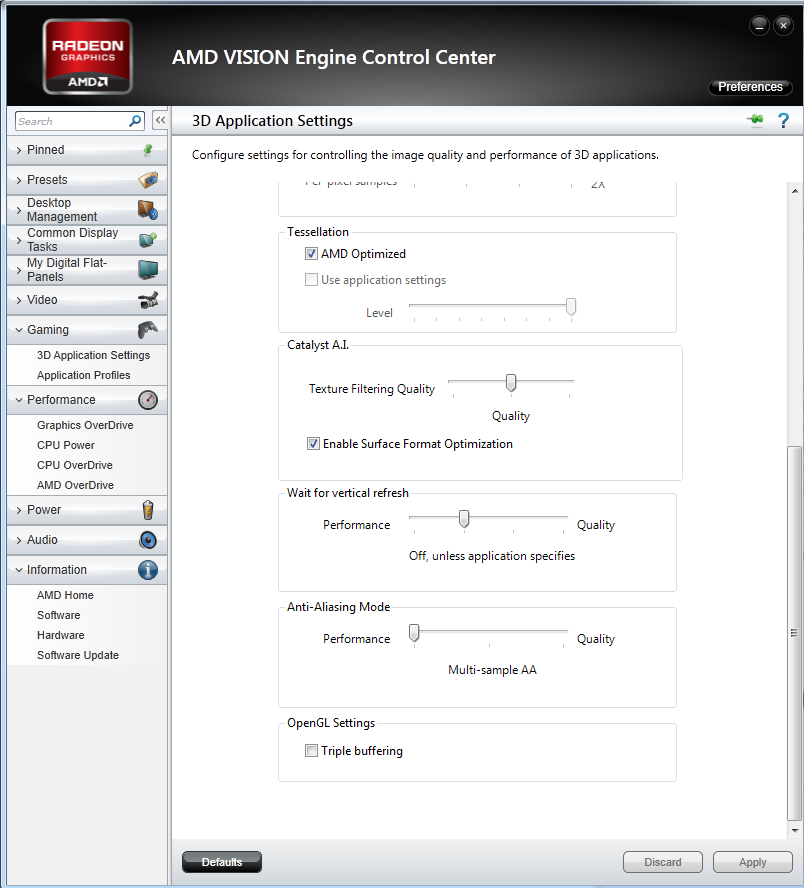
I’ve the sapphire vapor x 7970, and it looks all fine to me. No such lines on the floor.
So the only solution to the problem is to not play the game at max performance.
Just set it up so you run 60 fps, and play the game without questions. I know the game has a bad engine, so until they make a new one, we can’t really change something. (unless you can afford a cpu of 970$)
It is slightly beter as you said, that is already good.
You don’t need to get more than 60 fps unless you have a 3D screen who do the same as they did for the movie “The hobbit” (that one in 3D 48 frames per second, twice as fast as the current standard) Then ok you will have a better image… But i guess nobody of us are playing the game on a cinema screen :P From our eye, everything above 24 fps seems fluid, so don’t try to be faster than nature :p
Like i said before, it looks more like most of those crashes are coming while using a geforce graphic card… If you don’t agree, go look at all the posts here, and count how many uses a nvidia and how many uses an ati.
Just for curiosity, try to disable physx engine in your gpu settings.
I’m having a sapphire vapor X, and the game is running very smooth even on max. iIm not a genie or something, but if it works, it works.
As far as I know, this is not rocket science we do…
The no signal is because you try to run a game with a resolution bigger than your screen. Or you screen has a to high resolution for that onboard graphic card.
In any case, you will have a hard time to run guildwars 2 with an onboard graphic card. They uses the same ram.
Try to put the game in windows mode, and run it at the max resolution supported by that graphic card.
Or they just haven’t set one for the forum. I don’t see any in the html code.
i’m playing here with amd cpu, ati graphic card, and never got a problem. I know i am a bad example, but if you keep everything updated, why are there so many problems then ?
I like that in 80% of all problems in this section, players are using a Nvidia graphic card. And yet nobody questioned if that couldn’t be the real problem to all the crashes and lags.
I’m using ATI since the start of GW2 and haven’t seen 1 little problem so far (I play the game on different computers).
Go configure your screen first :p
I have no problem at all with a to bright white on the screen. So why should they change the color because you have a bad monitor ? It looks like the forum has been designed all around this color, changing it will mess with all the effects (like the moderator’s name design and other things)
thanks kirito, so a fx-8350 will do the best job on guildwars 2. 8 different cores are still better than 4 cores and 2 threads on each core.
On intel, each thread on 1 core uses the same cache memory of that core. So basically you will have 2 threads using the same cache.
Real cores are better than logical cores.
You can’t expect to run a kitten program in a virtual operating system at the same speed than in a non virtual OS, same with cpu’s 
Well I hope the developers will make guildwars 2 a multi threaded game. I understand the first game wasn’t. But since the graphics are better, we should expect that the game uses the GPU as much as it can. We are now in a age of multi-cores/threads so games can’t stay forever running on 1 single thread.
I think you will not get better graphics with that CPU. From some reviews, I’ve seen it is a very crappy one.
Yes, make sure you don’t burn the cpu :p
You have to try. I have the Fx-8350 who is running at 4.0 ghz without overclocking. Along with a vapor x 7970, i can run guildwars with everything on. I only tested in LA and pve. I haven’t done WvW yet.
Intel HD 3000 is just a graphic chip on the motherboard… so it uses memory of your ram, and is far less powerfull than that nvidia on the other one.
So basicly, you have 2Gb for windows, and the rest for the graphic card.
Problem is that GW2 isn’t optimised to use a lot the GPU. So yes it is normal that when you play guildwars 2 your CPU go all crazy.
Guess you overclocked your CPU. Maybe it is a little to much. And it would worry me more if the cpu wasn’t running at 95% while gaming. If he was running at 50% then you would have a little problem (1 core broken or something)
Low FPS while in most areas on AMD R HD 7950?
in Account & Technical Support
Posted by: hoegarden.4287
The FX 8350 would do , but u wont be able to get a constant 30+fps everywhere ..like LA and especialy WvW ..even if u OC.
You really should consider Intel, they have much stronger single thread processing power atm, and the 3570k isn’t really all THAT expensive all things considered.
Well there aren’t that much games who already can take some benefit of the hyper threading.
Just check those benchmarks : http://ixbtlabs.com/articles3/cpu/archspeed-2009-4-p1.html
You can see that the 2 singles cores are doing pretty good against 1 core with hyper threading. I have the fx-8350 and without OC he runs already at 4.0Ghz for the prize it costs it’s not to bad, and you can play guildwars 2 on full HD.
Then again, i’m not really a gamer guy, I use the pc more for 3dsmax or photoshop.
Got a AMD FX-8350 eight-core Processor running at 4.0 GHz, the game is running very nice
3 types of crashes: out of memory, assertion failed, and messy crash
in Account & Technical Support
Posted by: hoegarden.4287
try to disable physx on the nvidia cards. That stuff if it is enabled, it use a lot of cpu to boost the graphic rendering… That is something you don’t want when playing guildwars 2. I have a sapphire, and i can run the game with every setting at the max without problem.
How well does it run on AMD 7670m @ 1600x900?
in Account & Technical Support
Posted by: hoegarden.4287
Well it is a laptop after all, don’t expect that you enable to put the same stuff in it like in a desktop. Parts are smaller, so more heat.
Well i understand why he must take such a low graphic cart… You are not going to run much with just 450 Watt.
How well does it run on AMD 7670m @ 1600x900?
in Account & Technical Support
Posted by: hoegarden.4287
On board graphic cards aren’t that good. if you can, take one who has 2 Gb ram on the graphic card (hopefully ddr 5 ram), then 8Gb ram.
Using the PhysX Control Panel
For more detailed help/info go check a look here : http://physxinfo.com/wiki/PhysX_Control_Panel
It is a link to the wiki of the physx stuff
I see you have a nvidia, try to disable physx. I know that GW2 don’t really like that kind of rubbish driver. (Reason why I picked an ATI card instead of an Nvidia)
Here is my file so you can compare a little. My game works perfect with all graphics at the maximum.
Attachments:
Yes, if you want to game on 10 pcs just copy the folder to all the pcs. It will save you a lot of updates too
Maybe it is a bug. They added that free deluxe version when you purchase the normal game. So be patient.
Also from your screen, we can see you still have the skill, can you use it also or not ?
Still don’t understand your compensation. Guess you will get your deluxe back or max 1600 gems so you can buy the upgrade again.
If you keep getting this, maybe it is just a bad sector in your hard disk. Happens somethimes when the disk can’t read some files and just shutdown your pc (some kind of blue screen without blue screen :p)
Maybe you must do that because you haven’t checked that checkbox who remember the network you currently use. When you click on the activation mail, you will see that little checkbox.
Hope this will help you.