Perhaps it’s manually set in your driver settings vs. ingame settings.
The game has no dislike or adverse effect from using i7 processors.
Turbo Boost runs at default and should not cause any crash anywhere or game.
(edited by Maze.3825)
I thought it was just me! I’m just ignoring it though since it plays fine after loading still.
His cpu is fine, gw2’s poor cpu optimization is the problem. 10 years from now, people will still have fps issues with the latest tech and players will be telling them their cpu is too weak to run the game.
Anet needs to do some serious optimizing, to make sure the game scales well with hardware….which at the time it does not.
Can’t both be true? Anet could offer better optimizations + overclocking certain CPU’s yield better performance.
Overclock your CPU to 4.2 – 4.5 Ghz and you should really see a smoother experience in most of the game.
Hi,
Are settings staying on the General Options/Camera section for each account too?
Field of View can really affect fps.
Is this in every zone and with CPU intense settings on high? Reflections/Character Model Limit etc etc
“I already have the 32-bit client; will I have to completely download the game again?
No. The 64-bit client uses the same data as the 32-bit client. If you already have the game installed, you can follow these instructions to avoid needing to reinstall the game:
Download the 64-bit client.
Copy the downloaded program into your Guild Wars 2 game folder.
Update any shortcuts to the game to point to the new file instead.
This process will be automatic once we get out of beta.”
https://forum-en.gw2archive.eu/forum/support/support/64-bit-Client-Beta-FAQ/first
I recently got Windows 10, but have yet to boot it to a new hard-drive (am upgrading to a gaming rig). I’m apprehensive about using 10, because of problems I’ve heard, namely compatibility issues with the game. Has 10 reached a more stable point now? Is the general consensus that it’s worthwhile using it?
I’ve been using Windows 10 64 bit and have never had a single issue related to Guild Wars 2.
Good luck with your new computer/rig.
I too have had similar “fps stuck issues” lately. I had to restart the pc to fix them each time.
I have an Nvidia gpu properly configured.
OP,
The screenshot you’ve attached that shows the sensor tab shows idle clocks. Maybe this is the reason for your low fps.
This may or may not affect you.
I’ve recently heard of MSI Afterburner’s overlay causing some issues with black screens with GW2. Perhaps you use this or other overlay’s.
Good luck.
What is your virtual memory setting at in your Win10 machine?
http://ccm.net/faq/43000-windows-10-virtual-memory
I too have had this issue. I’ve had to control alt delete and kill process and restart the client to get it.
Come to think of it the second time I start the client always works.
Please delete this kittening entire thread. I’m just not thinking well at this time.
Again, the only point in this thread is Maximum settings argument.
Maximum means all, every last settings. Not just ‘high.’
It’s completely untrue. It cannot be done with even a GTX 980.
I have one and cannot max all settings with a playable frame rate in any real circumstance. Not gonna happen. Impossible. Never has been. It’s irrational to think otherwise.
My goodness.
(edited by Maze.3825)
There is a queue for every aspect of the game besides this. Pugs are fine. We’re all basically pugs. Pay my mortgage and you’ll not be considered a pug. Thanks.
This could be completely unrelated but the latest Nvidia drivers were causing me 20ish frames & especially when I opened the map.
Very odd. I’m using the 359.06 drivers with great success.
Thank you for this information OP, and thank you Anet for resolving it.
Means a great deal to me.
Hi, I have a smilar problem like OP.
But GPU load is only 30% and CPU load 20% but in game I have 10 fps…any help gor me please?
Your’s may say PCIE 2.0 at the start, and that would be fine as well. It’s the x16 at the end that we want to change.
Attachments:

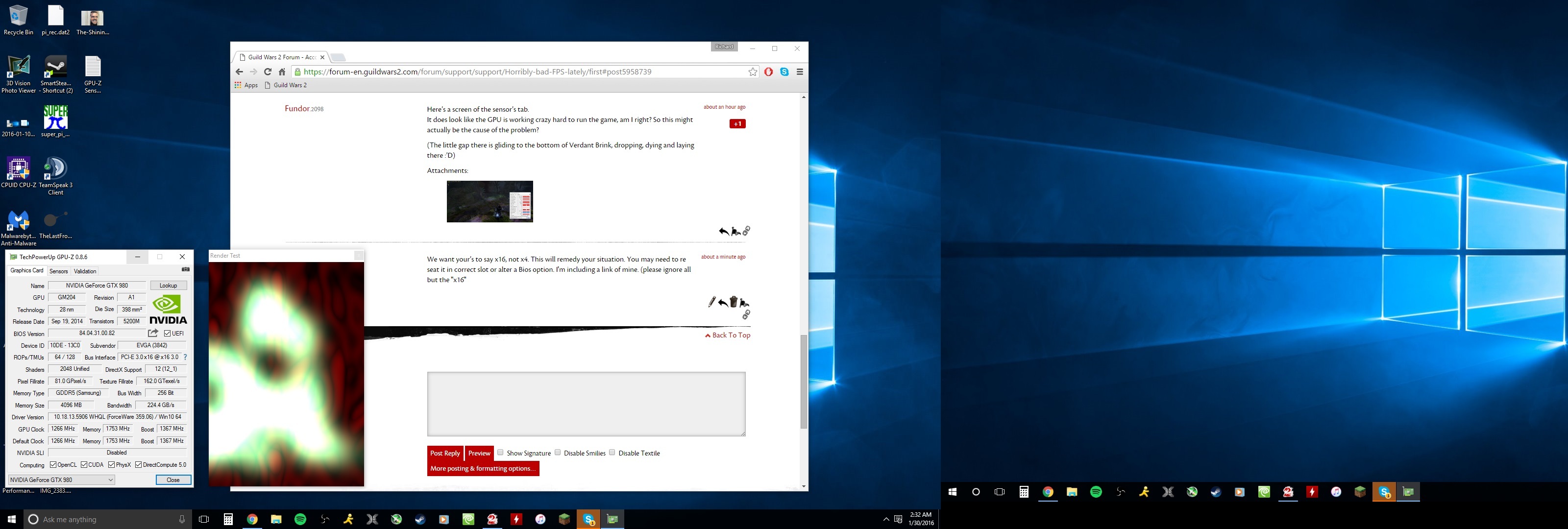
We want your’s to say
x16, not x4. This will remedy your situation.
You may need to re seat in  its correct slot for it to take effect.
I'm including a link of mine. (please ignore all but the "
x16"
Attachments:
(edited by Maze.3825)
We want your’s to say x16, not x4. This will remedy your situation.
You may need to re seat it in correct slot or alter a Bios option.
I'm including a link of mine. (please ignore all but the "x16"
I recommend a clean install with latest drivers from AMD http://support.amd.com/en-us/download/desktop?os=Windows+7+-+64 with the latest DDU uninstaller http://www.guru3d.com/files-details/display-driver-uninstaller-download.html.
Doing all Win7 updates is a given too.
I think you need to contact then directly with a ticket. Try not to get your hopes up. I’ve had the same issue before and it’s still unresolved at this time.
Any chance this happens when you open the map and then exit? I was in HoT zones earlier and when I opened the map my FPS got very bizarre.
Even when I exited back to the game the effects did not go away. I eventually just ignored it. It was pretty awful.
My monitor is only 1080 but I’m still frustrated the UI can’t be changed/moved at all.
Yes! It’s certainly too rigid for my tastes too.
It’s a no-brainer that dungeon participation is on the down swing since the HoT Expansion.
There has always been more than one way to play GW2. I personally thrived in PVE and dungeons was a large part of this. At times, I would jump from dungeon to dungeon from lfg-queue to another.. At present the queues often make me wonder if dungeons are not only losing favor but their once firm place in pve-content altogether. Introducing new content shouldn’t ever decimate old. ( not in this context anyway )
From my view, the bottom line is that loot & rewards , the selling point that most players seem to require for joining.
WIll dungeons ever regain their position in PVE?
(edited by Maze.3825)
No. The information we shared would be less speculative. That’s all I meant.
It’s okay to not comment or just say " i don’t know"
Bellelaugh does have an incessant need to poke at apparently every single 4k forum post.
She or he also pretends to have Anet’s protocols for programming delegation in demand.
Question to Behellagh :
Which Anet protocol claims they or any other MMO revises itself based upon some quasi /steam / hardware review ?
Long live 4k dreams and 64bit clients!
(edited by Maze.3825)
There are times that GW2.exe has utilized around 68% of my i7 3770k @ 4.4Ghz.
That being said, I do not have an expert understanding of any of the softwares involved.
This is for both 32bit or the new 64bit .
I’ve added a screenshot inside LA
Attachments:

(edited by Maze.3825)
What can we do to get Anet to update us on their own website /forums/Tech Support?
I’ve heard that some people are being advised on non gw2 websites. I think is very, very confusing. I’m sick of having to dig to find simple answers to bugs or temporary errors. We pay them for what I think are ‘just given’ & simple etiquette and services.
I’d love to see a live mechanic even on the updater itself.
“Let us know when the bridges are out, please”
good question. I’ve always thought it did not change also.
Awesome work!
Also, if you choose to not max settings like ‘Field of View’ and others you will generate some more fps without losing much in the aspects of visualizations.
I’ve found in certain maps that maxing Field of View with other settings on High or max can really be brutal.
Anet should advise its customer base beforehand kitten .
I would strongly suggest OC to around 4.2-4.5Ghz also. As far as the comparison between 770 vs. 980 it will be very noticeable with while using Supersampling in my opinion.
I agree, for now, overclock your CPU and see if you can create some fps from this.
I have a NZXT Phantom 410 case, with a fan at the front bottom, top back, and back top. Should this be adequate airflow? And the low-mid 70’s was taken on a rather hot day. Currently it’s running around mid 60’s – that should be fine right?
Thanks for all the responses!
http://www.techpowerup.com/reviews/ASUS/GTX_970_STRIX_OC/29.html
ASUS GTX 970 STRIX OC
Idle 47°C 71°C Load
EVGA GTX 970 SC ACX
35°C 73°C
Palit GTX 970 JetStream
49°C 78°C
What is your ambient temp? What kind of GPU and Case + physical environment is this? Can you manually raise the fan speed?
I want to really thank all the developers who created this 64beta. For me the differences are night and day with max settings.
Thank you so much!
i7 + 980gtx + HD resolution Windows 10 64 bit..
Attachments:
(edited by Maze.3825)
Doesn’t this disc come with a serial code ??
Click ‘My Account’ and then click ‘Redeem Code’
If you have the core game already installed you’ll be set after this I think.
(edited by Maze.3825)
Wow. Interesting occurrence!
I don’t know what your exact solution will be, but I suspect you need to submit a ticket! From what I read in your post that GM didn’t fully understand your predicament.
I think it’s just a random in game problem.
It’s a bit confusing but I’m sure you have access to reaper already.
Bellegraph,
Your speculation helps no one. You just seem to have an incessant need to preach here.
Pardon the misspelling.
Client unable to connect to login server [merged]
in Account & Technical Support
Posted by: Maze.3825
Why don’t MMOs have better / LIVE communications? C’mon it’s 2015 ANET!
Client unable to connect to login server [merged]
in Account & Technical Support
Posted by: Maze.3825
Same here. I’m sure they’re working on it. I just wish there was more of a personal connection with the team during stuff like this.
If all your components are working as described I would definitely upgrade the 5970 and at least overclock your CPU to 4.2Ghz and you should be fine. What is your memory running at ? Just make sure you’re running in dual channel and DDR3.
My Intel I7 6700K is running at 150+ Open world and Lions arch 100+ give and take 5 fps (PvP/WvW not tested) (Graphics Set to Highest)
I have used AMD for many years and it sad to see game running slow on there CPUs.
Please show us!