Well that is correct, but it still can be done. I don’t know how bad the game looked for you based on monitor calibration and monitor capabilities but on my Asus VH236H with some RGB and other tweaks, colors look natural and gradient.Lighting looks more natural instead of full on. Maybe it’s because I have the back light, contrast and brightness tweaked so games don’t scream at me.
All I’m saying is in some ways it looks good but overall, there is a lot lost and looks more unnatural than the game already does.
Well before sweetfx i was forcing gw2 in windowed fullscreen to make use of nvcpl,but it still felt like i was missing something.I know what you mean about the saturation and blooming honestly,but it was really just an effect i was going for,you can easily change this to your likings,remove the saturation and eliminate the stronger blooming effect like i said in a post above.
i messed around with the settings for about an hour until i got a Shadow of the Colossus look. i don’t actually play the game with those settings, but it’s nice for some artsy pics, plus it’s pretty easy to switch back and forth between settings, since you don’t have to close the application to do it.
Awesome shot ! How does it look in other areas ?
Again…oversaturation can be elimited with changing Tonemap Settings.I do know what you mean,but it was an effect i was going for wich looked good in alot of maps but can look too much on some other maps aswell.if you want to get rid of it,simply disable it.Same for the blooming effect,up the bloomthreshold from 24.05 to around 30 if you dont like the effect it’s giving.
#define Saturation 0.10 —> Put it at 0.0 to completely disable it.
@Grandizer you cannot get the same effects with just using Nvida control panel,it’s impossible NVCPL has the standard contrast,gamma,brightness,vibrance and thats it..SweetFX does alot more then that alone.And Guild wars 2 does not use nvcpl settings when playing in fullscreen mode.You need to use windowed fullscreen for those settings to be used.
(edited by Caedmon.6798)
@Cernow,actually i find this to be quite the opposite,i find the shadows to be more appealing and alot darker,like shadows should look like.My monitor is properly calibrated btw.
If you find the shadows more appealing to your eyes, that’s fine. I don’t share that taste. But I’m just pointing out you’ve actually lost shadow detail, areas of the image that were previously a shade of grey (or some other colour) are now 100% black. And highlights have suffered in a similar way, going to 100% white.
As for your monitor, is it calibrated with an external device (eg a colorimter)?
That’s your opinion,i already stated a number of times..that i do find this appealing and imo the areas that were grey,should have been black in the first place.Thats what i was aiming for btw..white = true white , black = true black .
Btw for people that do find it to be oversaturated just tone down the following.
Tonemap Settings
#define Saturation 0.10 —> 0.5 or anything inbetween.
Ya, im having troubles getting sweet fx to work. I copy all the files to the gw2 directory, but when i launch it… Gw 2 has the send report crash window come up. Any help?
Set it to administrator..
Wow, i feel like an idiot for not thinking of that.. Have some bacon!
Thanks ! I like bacon
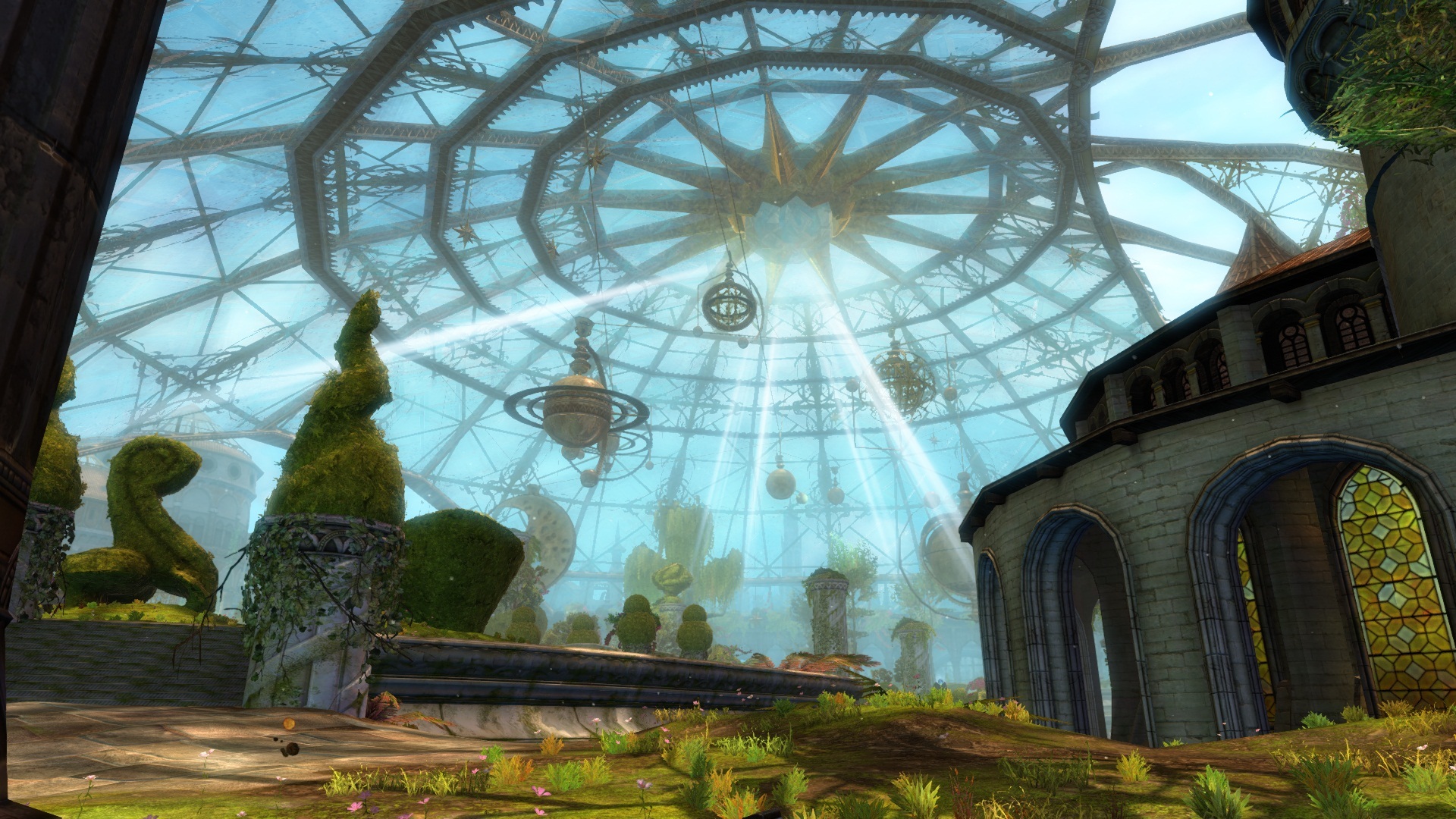
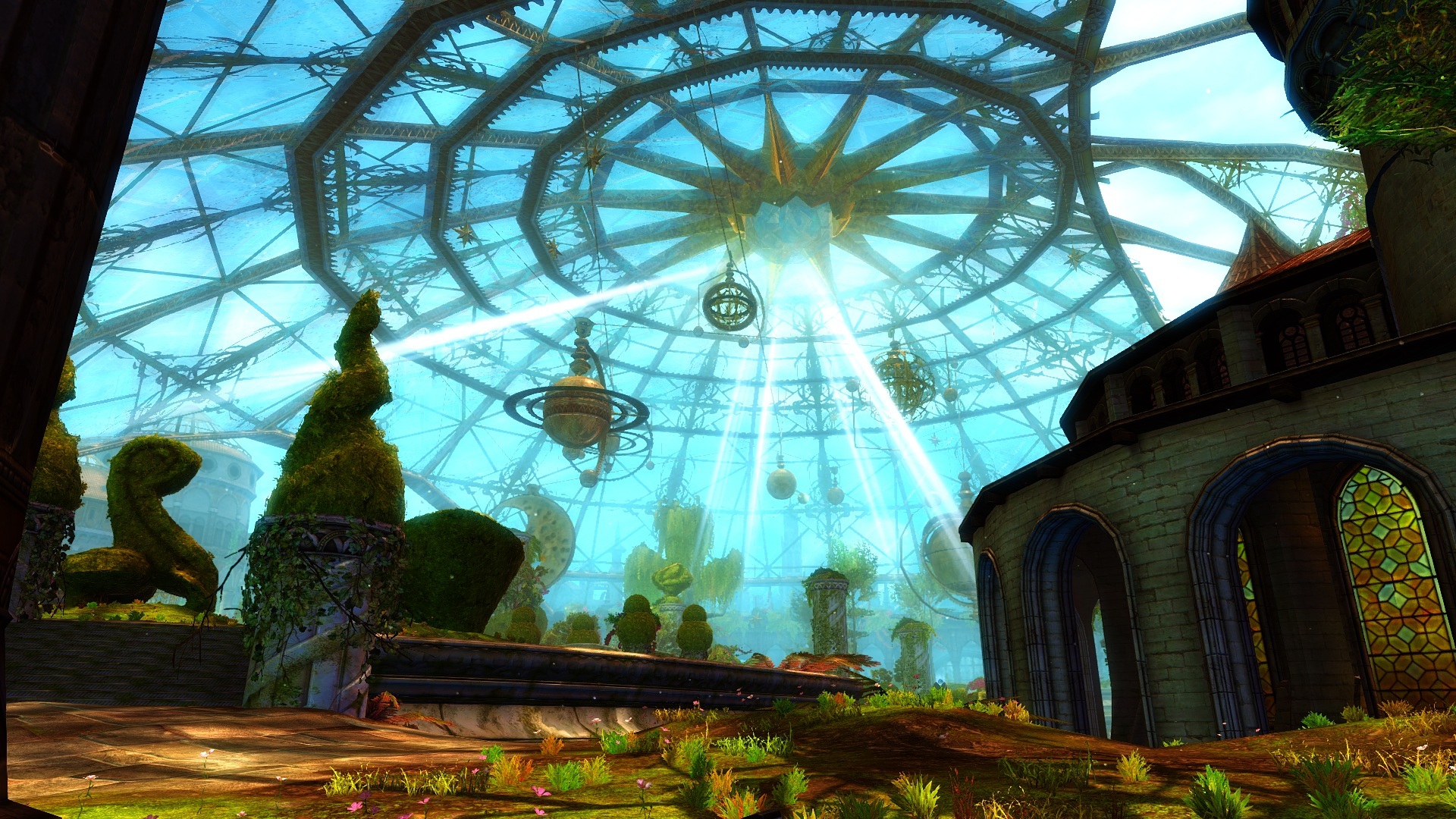
So you can honestly say that screenshot 1 looks better then screenshot 2 ?
You do not notice the blurry grey layer on screenshot 1 ?Yes I can. I like screenshot 1 way more than the 2. The 2 has over-saturated colors, the sky just looks like something you’d see in an episode of “My Little Pony”, not in an heroic fantasy MMORPG.
You obviously have a thing for blurry grey layers,well all fine by me! I do know what looks good though,blurry grey layers aren’t one of them.
No, my friend, you have an OPINION. And specially when it comes to something as subjective as graphic art, it remains an opinion, nothing more. You know nothing more than I do concerning what looks good. We just have a different take on it, but you definitely don’t know better than me.
So no, sorry to burst your bubble, but you do NOT “know what looks good” for anyone else but yourself. And definitely not for me.
Like your earlier comment about art gallery.
You aren’t one of those that goes to an art gallery, and then looks at a piece of artwork and says “wow that looks fail, I can do way better”
Anyway, Caedmon. Your settings look mostly good on my monitor, but lights are way too bright. Was in Lion’s Arch and it was really apparent there. According to Timebomb (who I was using his settings before), it is due to Bloom. So I’ll see if getting rid of Bloom, and adjusting some of the lighting to match his settings, that I was using. Kind of see how a hybrid of yours two’s looks.
If you want to get rid of the bright lightning you need to Up the value of Bloomthreshold and put it to 30.00 for a test,i dont think you want to go over 30 since it then removes too much lightning imo.
@Cernow,actually i find this to be quite the opposite,i find the shadows to be more appealing and alot darker,like shadows should look like.My monitor is properly calibrated btw.
(edited by Caedmon.6798)
Honestly, it doesn’t look that great to me. The screenies just look like they over-saturated the lighting and added a yellow tinge.
Infact they are not oversaturated i toned it down quite a bit,something like this depends from monitor to monitor and what your windows calibration is,or your nvidia settings,vibration,gamma,contrast etc etc.Btw,Guild wars 2 does not use your nvidia video settings when playing fullscreen,so you have to disable this when looking at screenshots or use the windows calibration video settings.
Matter of screen settings. On a nearly perfectly setup monitor when it comes to movie or just nature colors standards, your screenshots do appear oversaturrated, and not by a little.
People can just tone down the saturation a bit to fit their personnal preference or monitor anyway, other than that I think you’ve got a good spot for the crispness and sharpness.
A positive response ? What the.. Glad you like it !
Same problem,or the reply button dissapears alltogether,pretty annoying.
So you can honestly say that screenshot 1 looks better then screenshot 2 ?
You do not notice the blurry grey layer on screenshot 1 ?Yes I can. I like screenshot 1 way more than the 2. The 2 has over-saturated colors, the sky just looks like something you’d see in an episode of “My Little Pony”, not in an heroic fantasy MMORPG.
You obviously have a thing for blurry grey layers,well all fine by me! I do know what looks good though,blurry grey layers aren’t one of them.
No, my friend, you have an OPINION. And specially when it comes to something as subjective as graphic art, it remains an opinion, nothing more. You know nothing more than I do concerning what looks good. We just have a different take on it, but you definitely don’t know better than me.
So no, sorry to burst your bubble, but you do NOT “know what looks good” for anyone else but yourself. And definitely not for me.
Are you realizing how much of an hypocrite you are right now ? I’m guessing…not.Btw..I never said Anything as a fact,i think it’s just obvious that a sharper more colourfull,darker image looks better then an image with high gamma,low amount of colours and a grey blurry layer on top of it.
Back on topic again for people that do have taste !
Attachments:
(edited by Caedmon.6798)
So you can honestly say that screenshot 1 looks better then screenshot 2 ?
You do not notice the blurry grey layer on screenshot 1 ?Yes I can. I like screenshot 1 way more than the 2. The 2 has over-saturated colors, the sky just looks like something you’d see in an episode of “My Little Pony”, not in an heroic fantasy MMORPG.
You obviously have a thing for blurry grey layers,well all fine by me! I do know what looks good though,blurry grey layers aren’t one of them.
Well i can buy a shield thats clipping 50/50 through my back,talk about awesome…
Ya, im having troubles getting sweet fx to work. I copy all the files to the gw2 directory, but when i launch it… Gw 2 has the send report crash window come up. Any help?
Set it to administrator..
Honestly, it doesn’t look that great to me. The screenies just look like they over-saturated the lighting and added a yellow tinge.
Infact they are not oversaturated i toned it down quite a bit,something like this depends from monitor to monitor and what your windows calibration is,or your nvidia settings,vibration,gamma,contrast etc etc.Btw,Guild wars 2 does not use your nvidia video settings when playing fullscreen,so you have to disable this when looking at screenshots or use the windows calibration video settings.
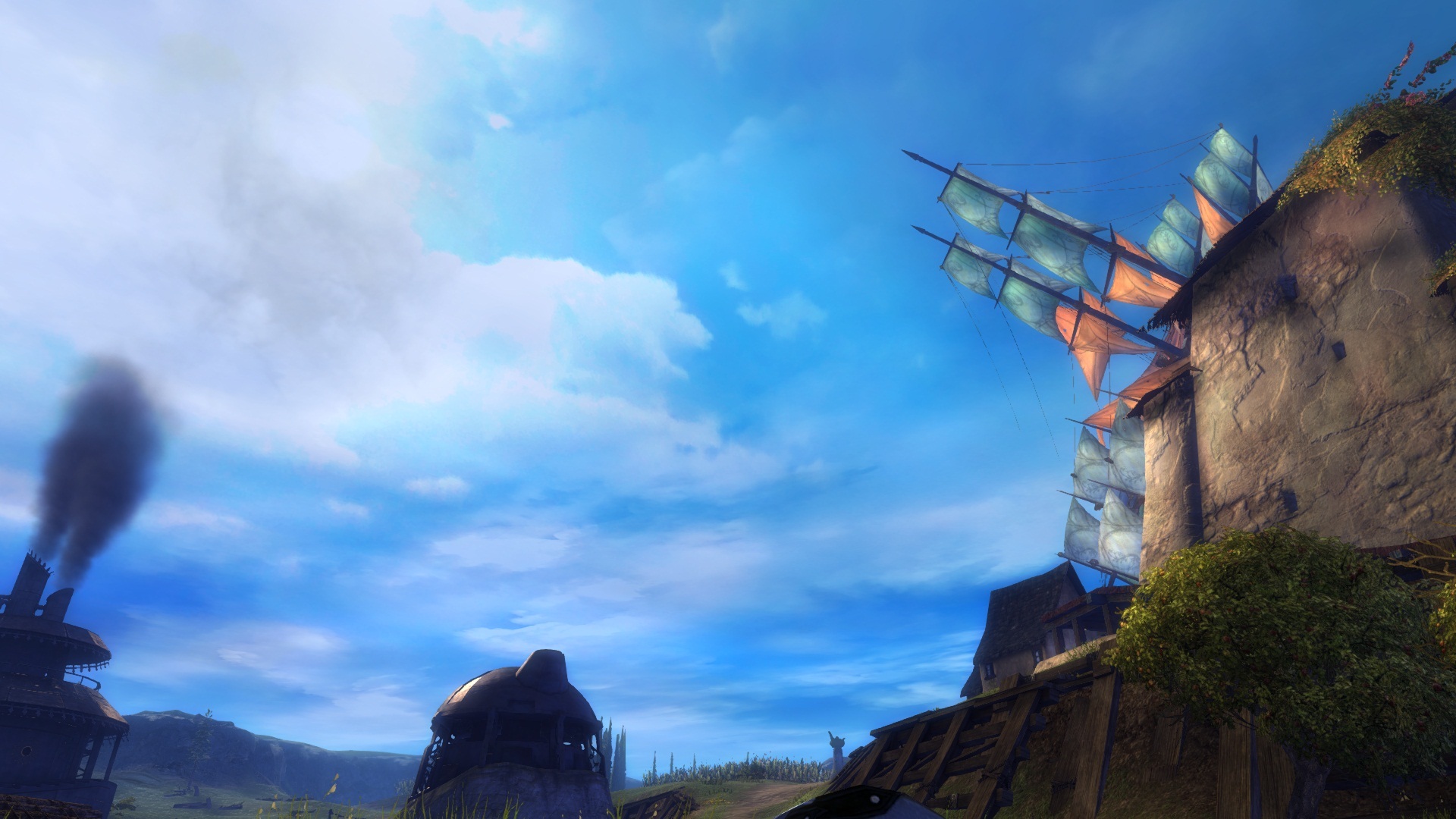
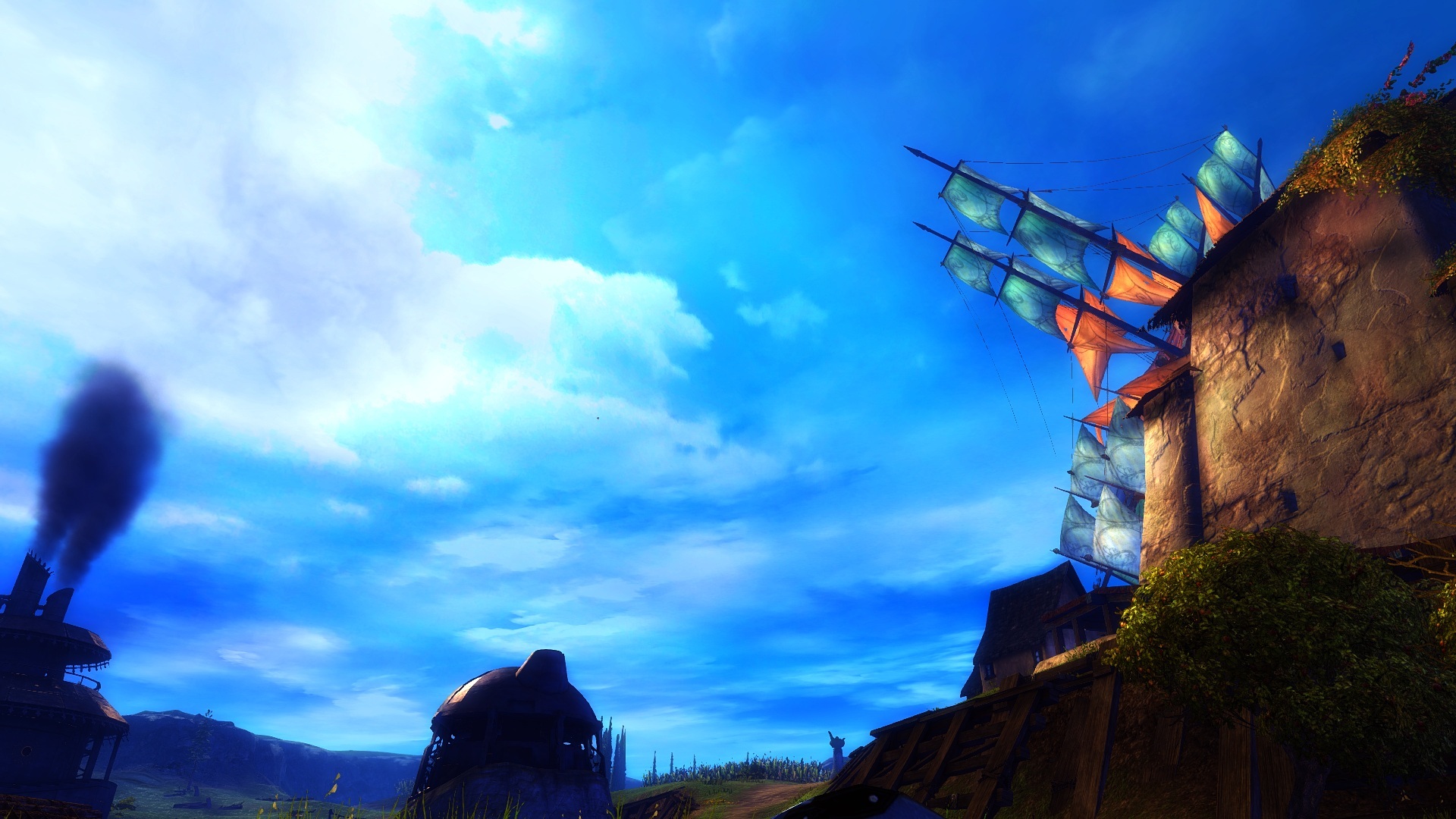
So you can honestly say that screenshot 1 looks better then screenshot 2 ?
You do not notice the blurry grey layer on screenshot 1 ?
Attachments:
(edited by Caedmon.6798)
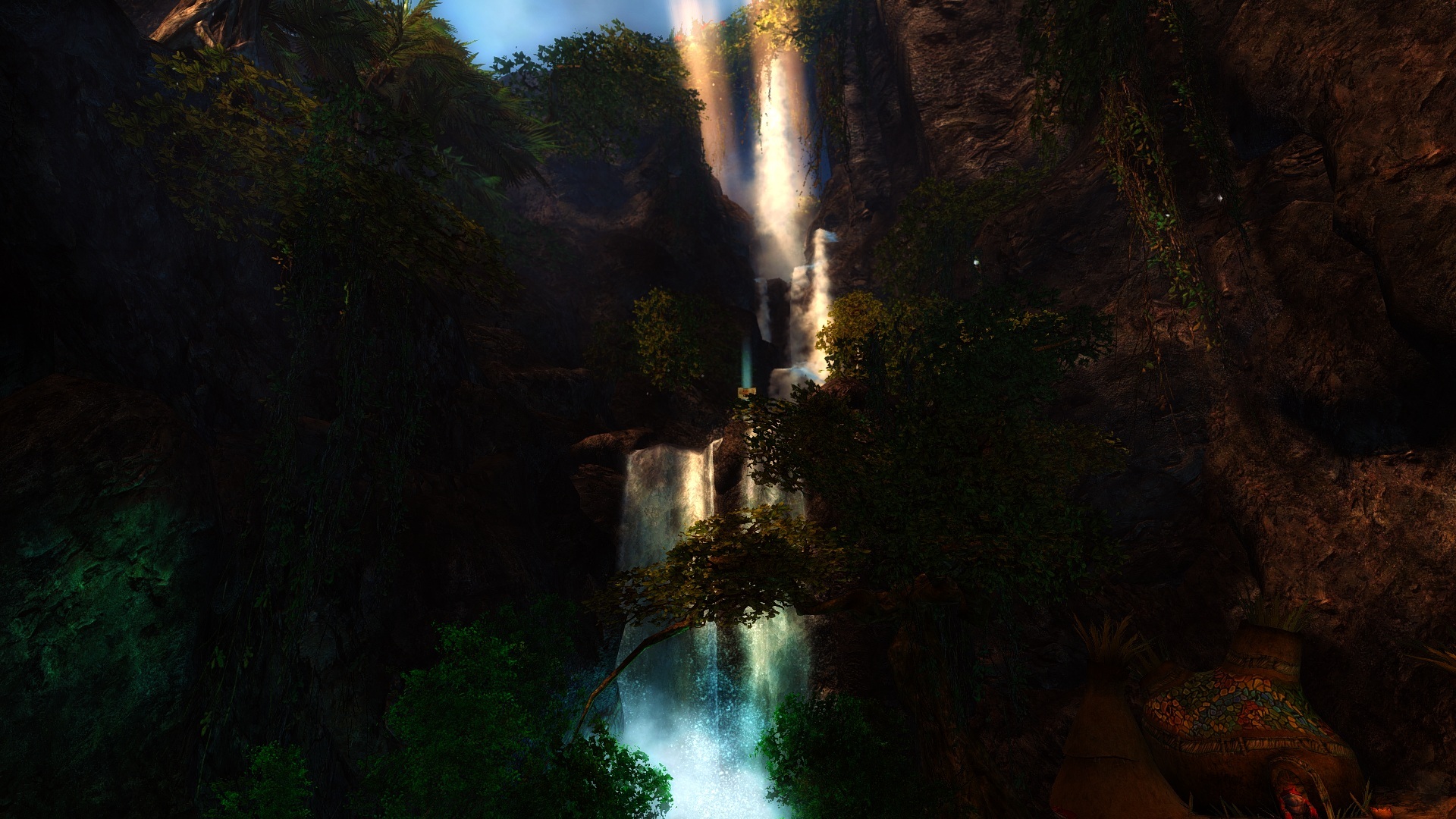
Grr i made a whole bunch of other shots aswell in Norn area aswell showing off some night areas to let you see how “nighty” the night and how realistic the water now looks..but alot didn’t get saved,well in the wrong folder and with the standard settings.Anyway here are the few that did get saved.
Attachments:
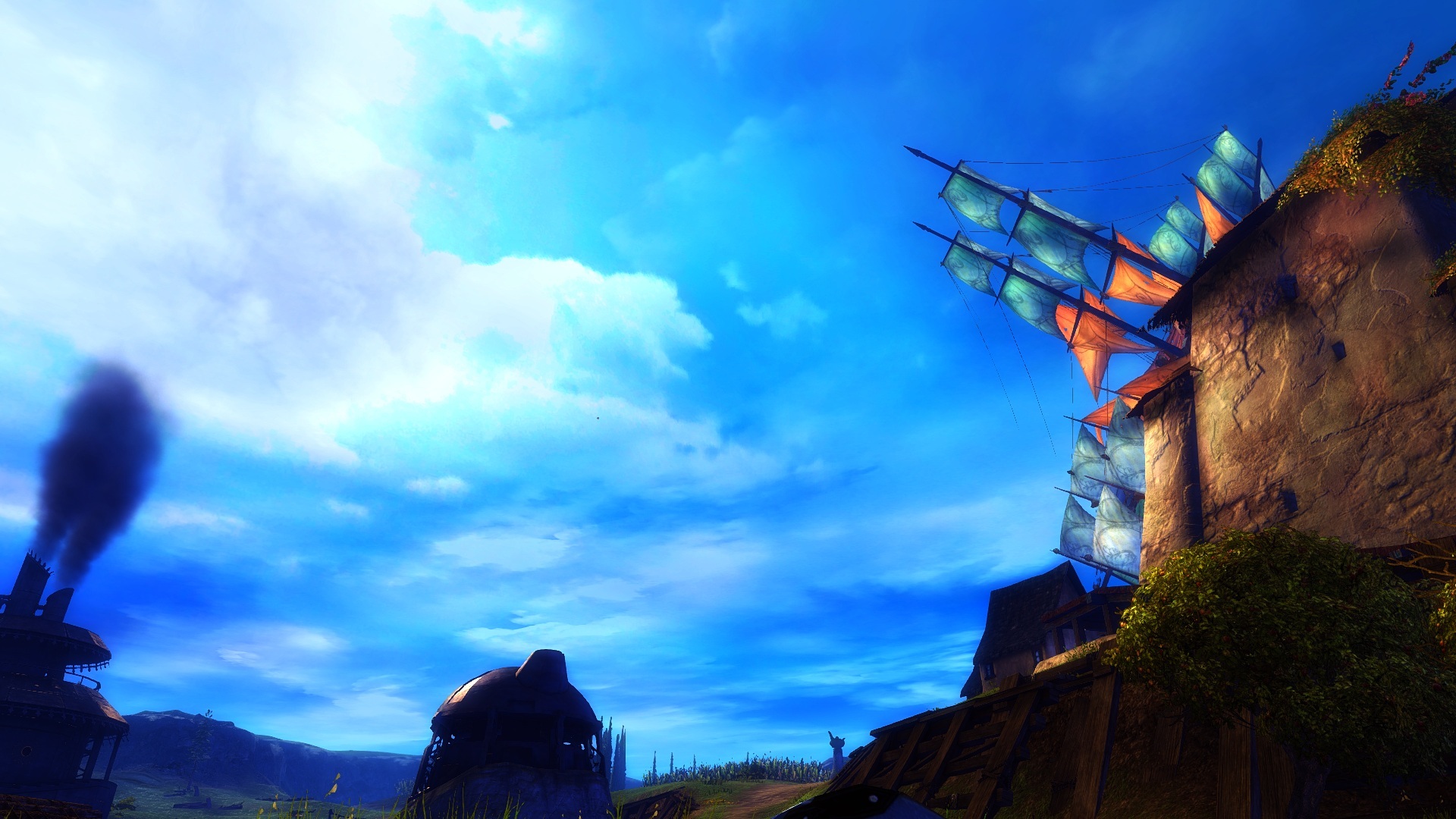
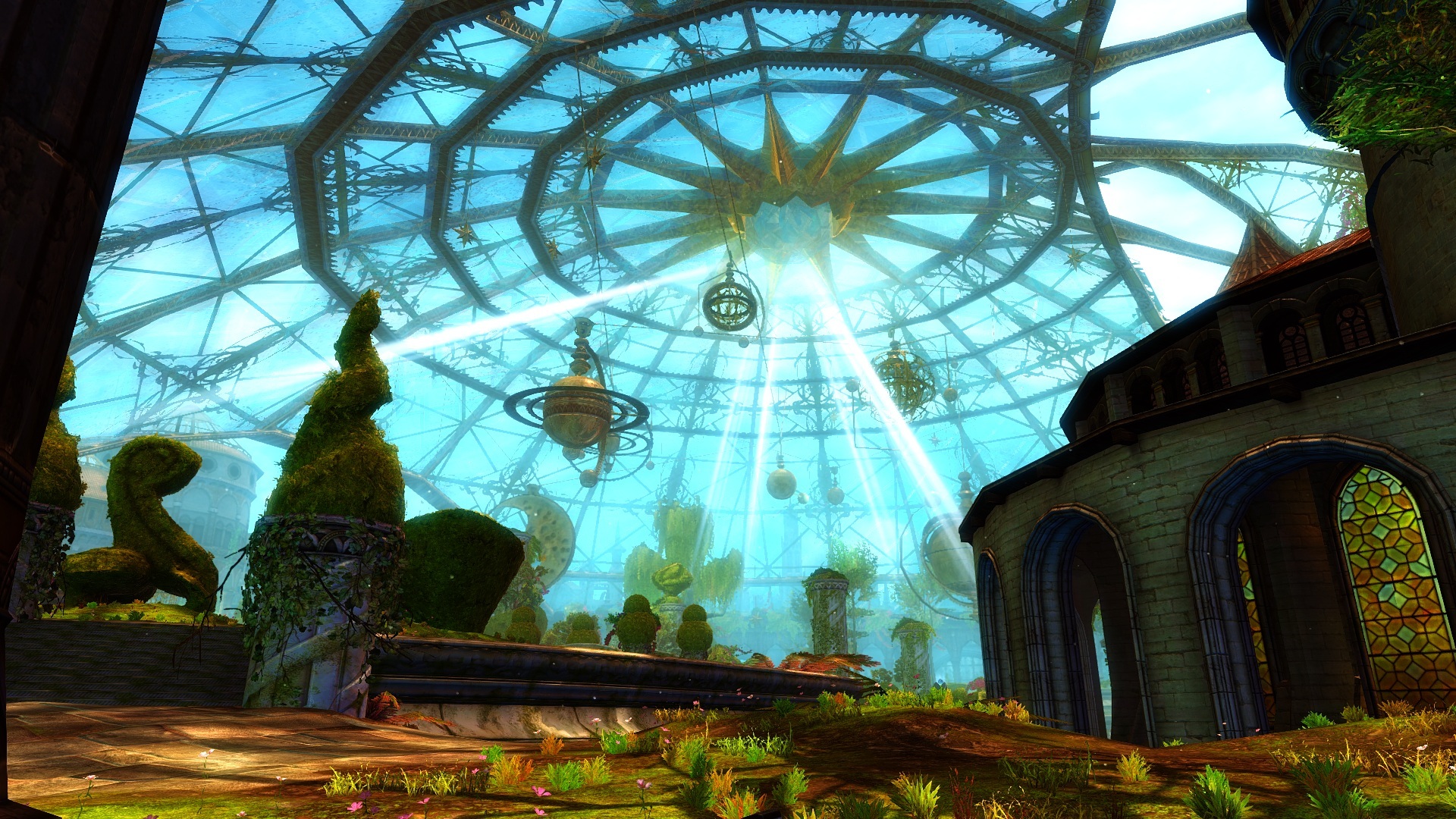
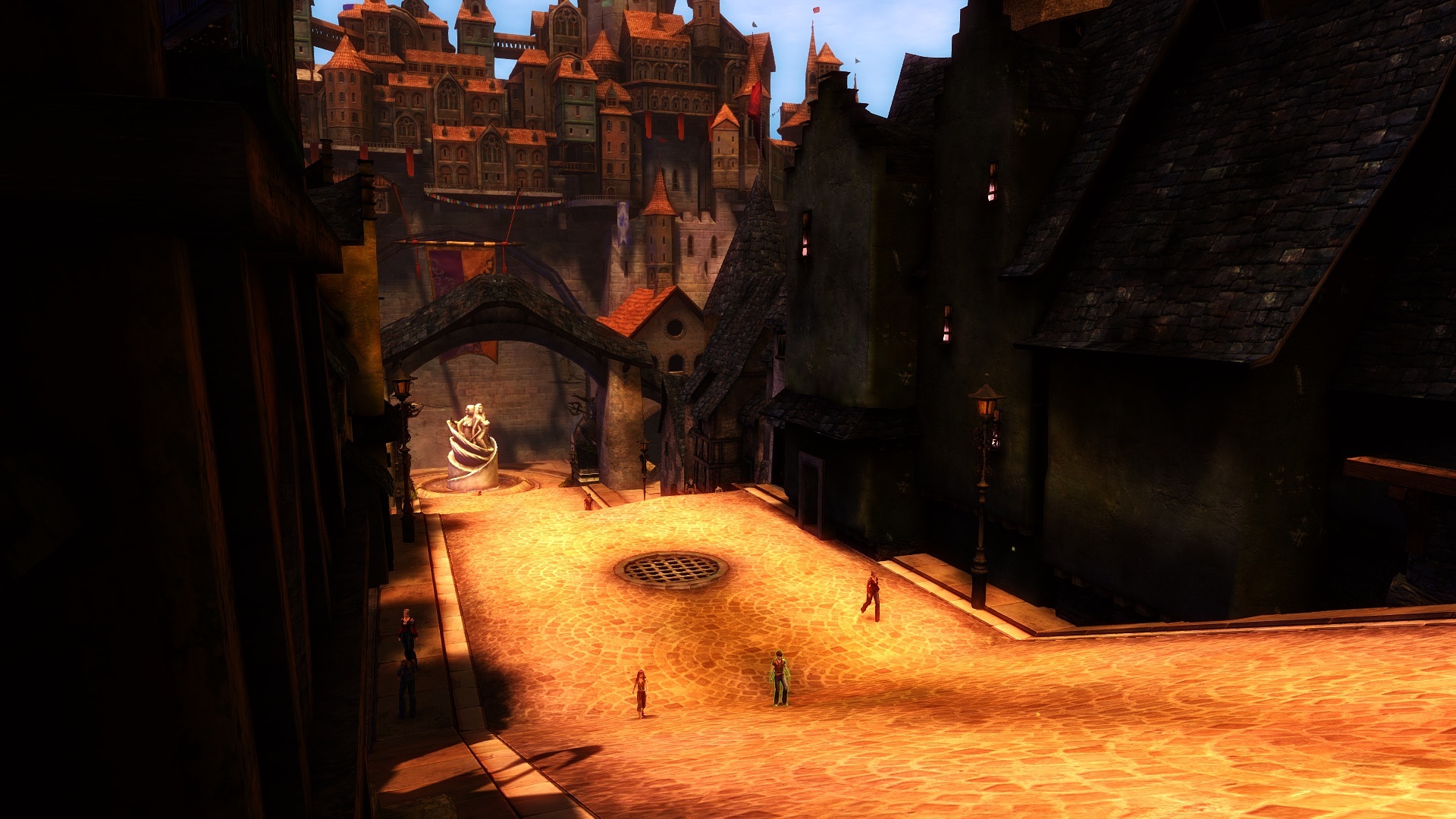
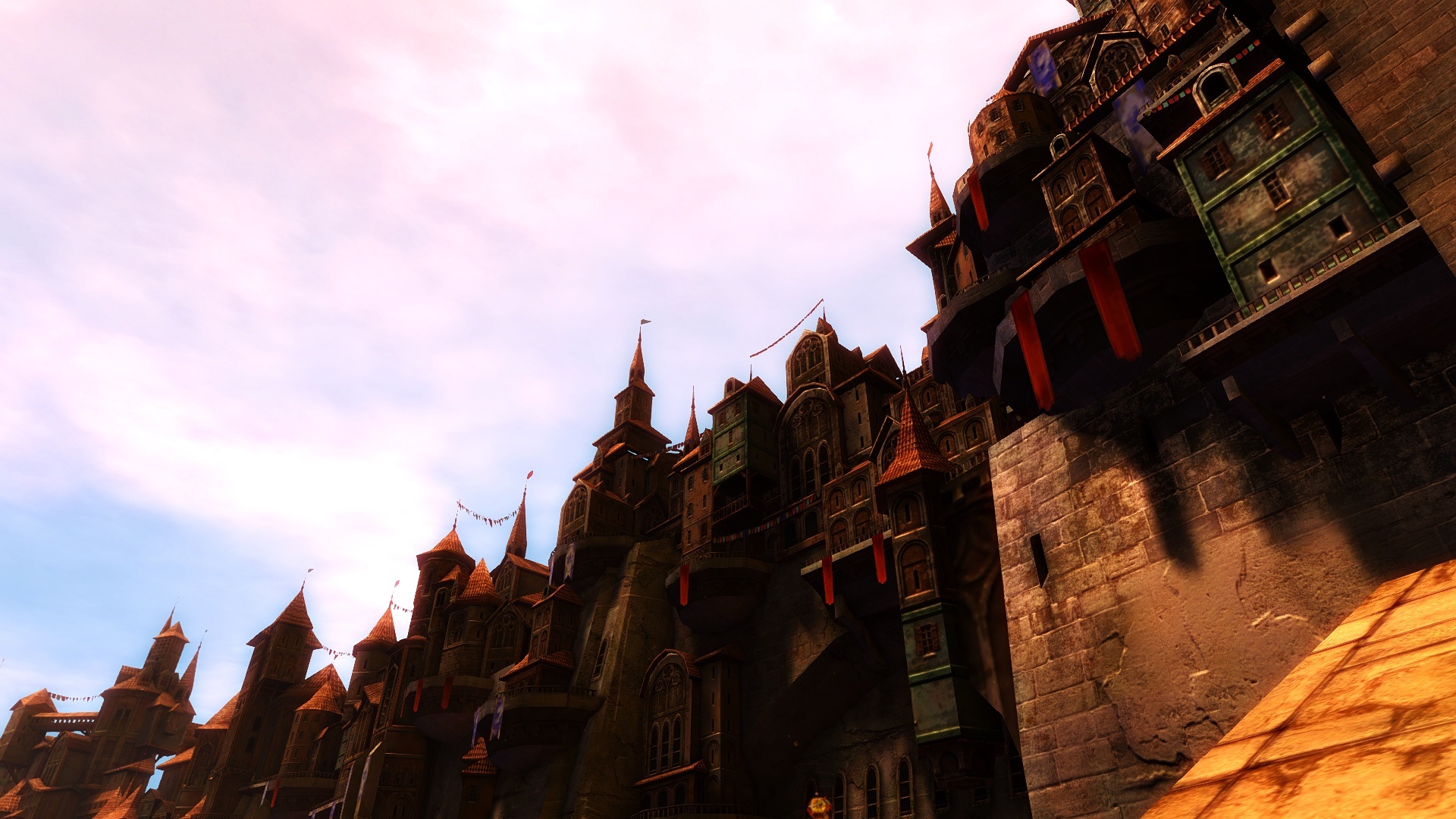
Ugh,double post.. my bad.
[/quote]
Hey Caedmon, do you have a screenshot of you outdoors in a bright area? I’d like to see what your settings look like outside of a cave. [/quote]
Yeah sure,ill hop in game in a few mins and make some outdoor shots,but don’t worry i went to about every kitten map i could find to test it ( The last 2 days ive mostly been busy tweaking this,and seeing the effects in other maps ) in different areas,bright,dark,alot of colour,alot of blurring,alot of smoke etc.Every area is looking great.
(edited by Caedmon.6798)
These are my settings after a few days of changing.This is really the sweet spot for me,my game looks incredible.I suffered from too much red,and too much colours etc,the way ive set it up now is just ffing perfect.Note they might seem different for you depending on your monitor type.I have SMAA disabled and still use the ingame’s FXAA,when having FXAA enabled i find the shadows are looking a bit better especially around plants and such and luma makes the game sharp enough,you really don’t want to overdo it.SMAA makes Guild wars 2 way to sharp when having Luma enabled aswell,imo.
_______________________________________________________
Lumasharpen=1
#define sharp_strength 0.62 ( Keep it between 60 – 65 )
#define sharp_clamp 0.250
#define pattern 4 ( Pyramid shape )
#define offset_bias 1.0
#define show_sharpen 0
_____________________________________________________________
Bloom=1
#define BloomThreshold 24.05
#define BloomPower 1.646
#define BloomWidth 0.0300
__________________________________________________________
HDR=1
#define HDRPower 1.26
#define radius2 0.87
____________________________________________________________
DPX=1
#define Red 6.0
#define Green 8.0
#define Blue 8.0
#define ColorGamma 0.2
#define DPXSaturation 1.0
#define RedC 0.35
#define GreenC 0.36
#define BlueC 0.36
#define Blend 0.1
__________________________________________________________
Tonemap=1
#define Gamma 1.16
#define Exposure 0.00
#define Saturation 0.10
#define Bleach 0.00
#define Defog 0.000
______________________________________________________________
Vibrance=1
#define Vibrance 0.2
Curves=1
#define Curves_contrast 0.05
#define Curves_formula 7
Screens are a little bit darker then they actually are
Attachments:
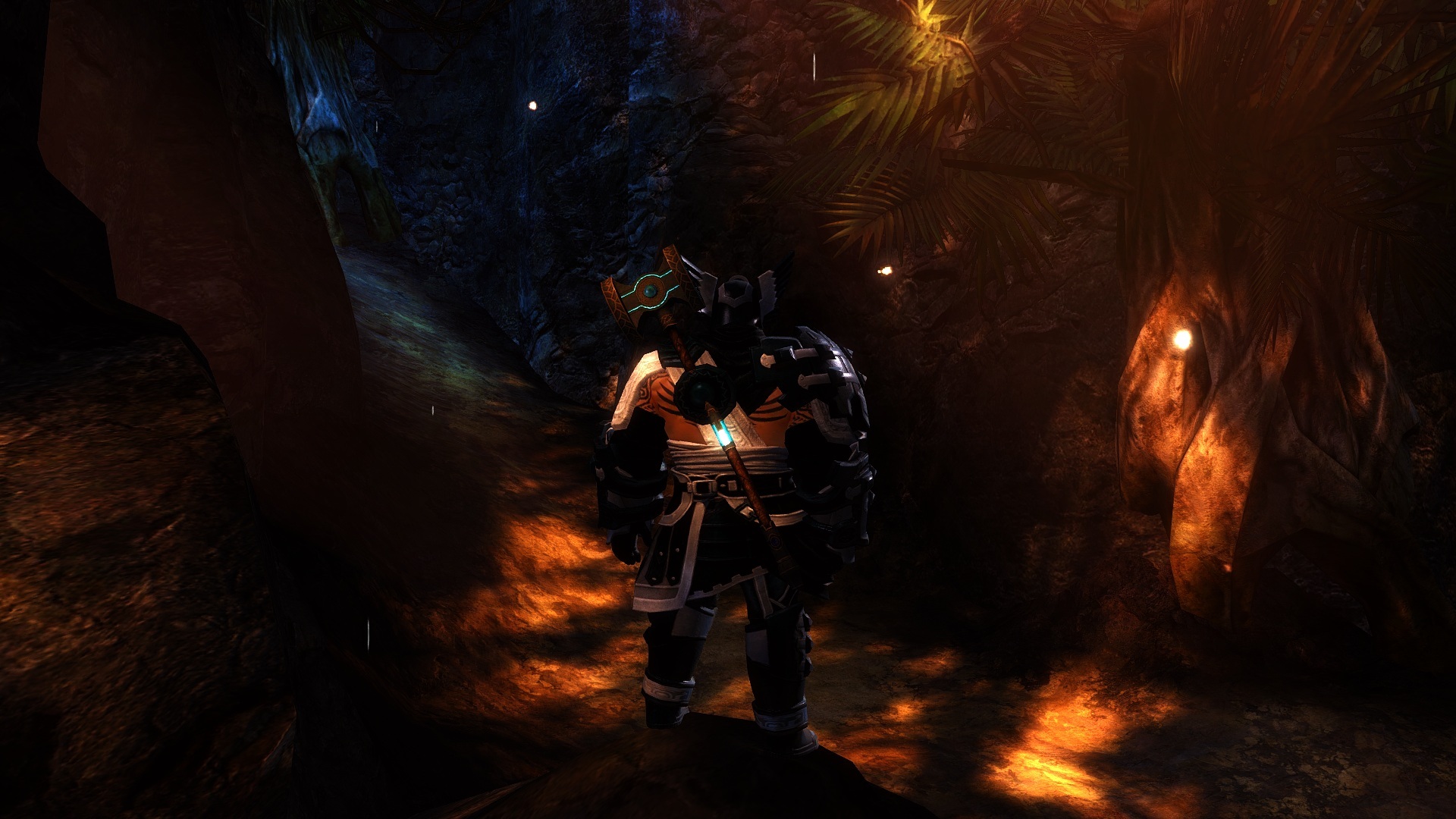
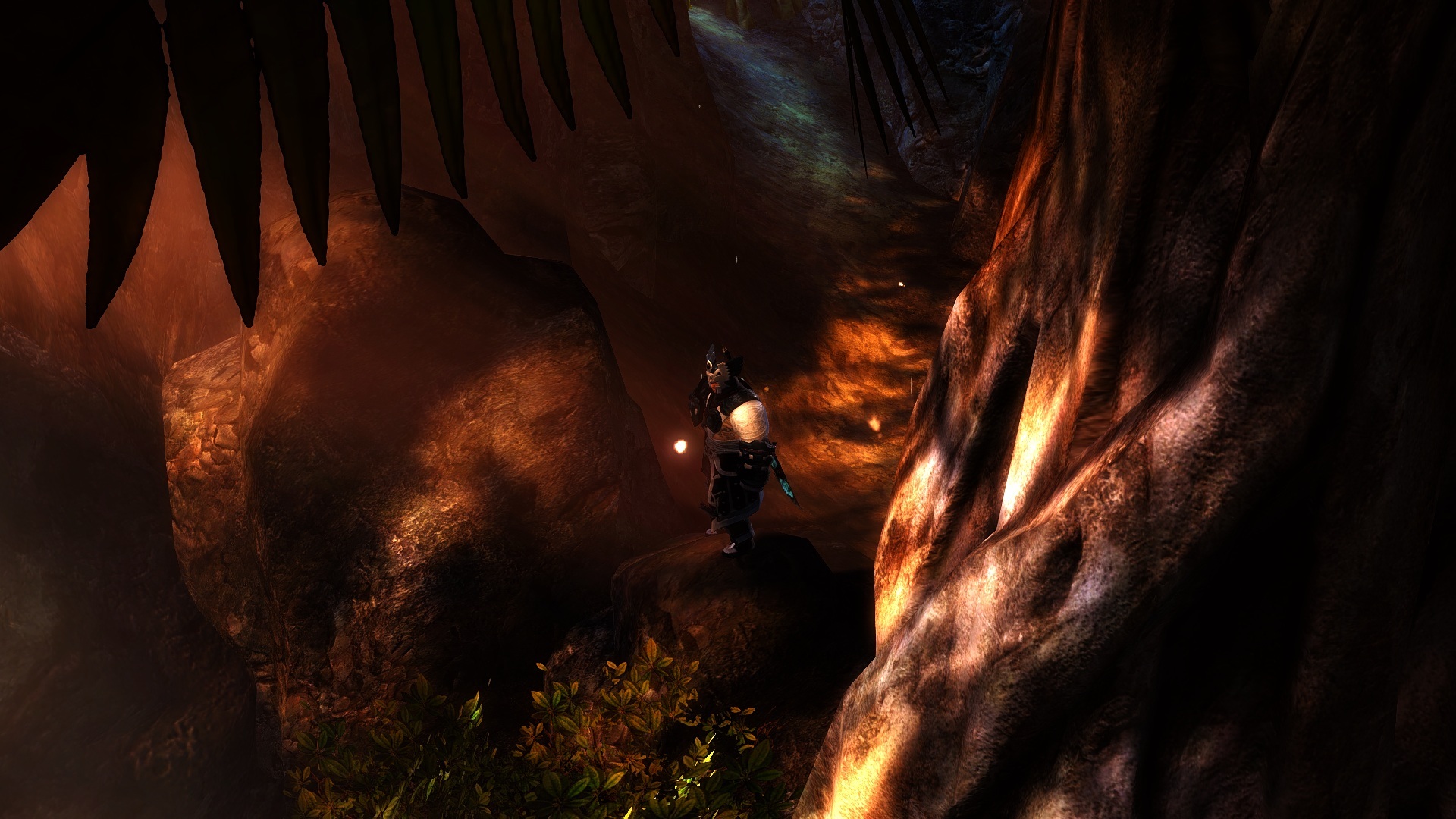
(edited by Caedmon.6798)
If my white colors seem to be a bit to bright how do I tone them down? Some of the reflections off of light sources seem hard to look at because of the brightness.
Disable post processing (bloom) on the ingame graphics settings. My latest graphics settings are also back a page or so; I did my best to address, amongst other things, bright light issues.
You dont need to disable it at all,i find bloom ( both ingame and sweetfx ) giving a nice quality effect when tweaked correctly.Just tone it down a bit.
Am I the only one who likes the original (intended) Guild Wars 2 look better?
Except for the better antialiasing, all the color modifications and supposed “enhancements” make it way too flashy – like turning Clint Eastwood in some sort of carnival Las Vegas cow boy…
Because you’re obviously using the wrong settings,dont say things like that because you give people a false impression.You need to actually Tweak the settings to your likings,wich can take up some time
Not me,im not gonna buy event items with real money,i like to Earn them ingame with events like this. Simply buying everything…whats the kitten fun in that ? Yeah lets put everything up in the shop for sale and just drop the whole event thing.
My red colors seem a little dark, which setting can fix this? I have deep maple colored armor and it almost looks black.
Exactly ! When walking around the Hentari higlands ? whatever…the place with all the centaurs…Makes the red Really stand out and darken it.If you have vibrance enabled ,put define vibrance at 0.2. And if you have DPX enabled you should play a bit with the colorgamma,define redc and define red.
It can also be that your gamma,contrast is up too high.
How can you blame this on arenanet while thousands of people are playing atm ? Something is obviously wrong with Your pc,The game is working fine,i haven’t crashed once.You should try to figure out whats the culprit and fix it instead of putting the blame on Arenanet,wich is the easiest thing to do…. since your pc is probably super leetzors ultra high end and can run bf3 with ultra settings etc….
(edited by Caedmon.6798)
@Pants…No,he wasn’t being sarcastic.
And earlier we had another user here begging for costume brawl to be permanent…
Because different people have different opinions ? I myself dont really care for the title aswell,and am not really into the whole brawl thing.
@Mandrax…it’s just his opinion,no reason to start telling him to NOT participate,wich im sure he already doesnt do since he doesnt like it…Its his right to complain about it and let arenanet know there are people that dont like the brawl.If arenanet gets zero responses from people telling them they dont like something,then they can never fix something to make it better…You see his post as negative and complaining,i see it as quite the opposite and a way for arenanet to improve things.Without posts like this arenanet wouldnt know what people like,dislike to concentrate more on it for future events or to try something completely new.
(edited by Caedmon.6798)
in the meantime i am no longer having fun playing gw2, aswell as all my freinds and basicaly my entire guild of 200+
Game over….
“I like to overreact much”
How aboutttt…you start helping arenanet and keep reporting every bot you see… ?
Install shockwave aswell,and you have manual install for Flash or install trough browser,get the manual one.
And like kirito…2 threads isnt necessary….
yes i was wondering if anyone knew how to obtain the mad king armor and info would help thanks :o)
Press O when ingame,you can buy 2 halloween outfits for 700gems each.
personally I think it over saturates colours and makes the entire image look way too dark…
Also alot of times these injectors break after a game update. They also conflict with on screen overlays (like Steam, Origin EVGA Precision and MSI Afterburner etc).
You can control the colour to your likings,you can even disable the added colour strength and keep it the way it was.You can just enable sharpen only and disable everything else and keep the ugly grey layer over your screen if thats what you prefer,just mean that what you see on screenshots posted by people,doesnt mean your game has to look like it aswell,just play with it untill your happy.The game looks a hell of a lot better and i cant find myself ever playing without it again now ive seen the grey layer.I just wish it wouldn’t touch the UI.
Awesome bomb ! May be something to remember for in the future.
Btw.do you have a mobo with usb 3.0 support ? If so is your Keyboard usb 3.0 and is your keyboard plugged in the 3.0 or 2.0 slot ? Try to switch your keyboard to the 2.0 slot if so.
Try deleting the Local.Dat file wich stores your graphics settings etc.Video settings do get revered back to original settings so you have to change that back to your likings again,same goes for audio.It doesnt touch your keyboard bindings so theyre safe.I actually had the same a while ago when my loading became longer for no apparant reason and i saw the size of the file was about 43mb,since i deleted it its been about 23mb and my loading is normal again.
Located in C:\Users\Username\Documents\Guild Wars 2
No,the video you shown seems like another problem,drivers probably since it happens straight away when he launches the game.Your prob is definetely a heating issue,and this will happen again,i would look for a way to keep it cool while playing before your laptop dies.
Btw if you’re not already doing it,start monitoring your temps asap with HWmonitor ( mobo temps etc also includes cpu + gpu,basically a all in one) ,Coretemp ( cpu ) ,Gpu-z (gpu).
I guess most of you play at different times or another server then i do.But my chat was filled with childish gibberish and continuous your mother jokes and im kitten jokes..i felt like i was in high school.When asking a simple question,no real help was given but Google.Everyone can figure out the scanning since there was an npc and a mail that explained how and why.But the costume brawl is just a chaotic mess imo.
Some doors are different.There are doors you can open once,and then a bag pops out you can pick up ( no enemys).And ive also had a door where ive seen a veteran coming out,when i killed him the door closed.And i think one door is bugged that spawned one mob that instantly dissapeard and the door was gone before i could even try to attack the mob.The other door spawn small spider mobs + skeletons sometimes at a slow rate untill you kill them all.Might be more though.
I had..ehm about 96 silver,a friend recently gave me 2 gold…so yeah,i feel really rich now.lvl 80
Could you cry a little louder? I don’t think everyone has heard you yet. Judging by your posts I see you do that a lot! This game is not perfect and yes the developers did kinda mess it up but what do you expect this is the first holiday for this game. Next year they should have it down. Getting mad cause you are too lazy to Google something is sad. Did you think maybe people are busy having fun and they dont want to hold your hand the whole way through the event?
You sure look like a wonderful person !!
The guy is making sense,you don’t.The event IS chaotic and it can be a pain to figure everything out on yourself.And when asking someone for some help and the only replies you get is google google google google,its kinda sad that this game evolves around people helping each other but on events like this its google this and google that.
You need to realize this game isnt about armor with huge stats or a weap with insane stats,its about skins.When reading his first post he never mentioned anything about an exotic weapon at all ( reading is hard isn’t it ? ) .And i think the weapon skin that cannot be obtained anywhere else ingame looks pretty awesome and the reward is more then enough.
Yes i saw some people yesterday standing on the spawn point of some ghost,some people even went as far to say ill be still standing here tomorrow to block the spawn point….Seriously what’s wrong with these people ? You log yourself in to make sure people arent able to complete their event quests…Thats just being a pretty ffing miserable person if you ask me.Anyway…still managed to complete it yesterday since they left about 2 hours later.Mommy prob pulled the plug to make them go to bed.
I havent been able to get my reward yet nor do i know where to get it…But imo the skin looks pretty awesome and is a huge leap forward from the insanely dissapointed rewards we used to get when completing the final mission. Got a few lvl 26 armors…i think a skin like this beats that any day.If you’re not happy with this,then what do you want ? a t3 set for free perhaps ?
I decided to try it out aswell and my god..the difference is crazy with sweetfx,if only for the increase in sharpness to fight the blur FXAA creates,and just to darken the screen a bit makes a huge difference,the game looks alot better.
His account got hacked,he got his account restored now but all his gear + gold is missing ( stolen ) and they dont refund it apparantly.
I understand the frustration with not being able to make the start or end of something, but really that is our of Anet’s control. It’d be like being upset at your favorite retail store for for having a sale when you’re working/sleeping etc.
Unless he opens at midnight and closes right before sunrise,i’d have no problems with it…..
I thought it was my keyboard actually..but yes ive experienced the same,doesn’t happen that much that it really annoyes me though.
I honestly think these things needs to be reset on a daily base,it’s happening way to often.
Why do you keep bothering after the 2nd try ?
“It’s better to light a candle then curse the darkness”
Well..tattooshop wouldn’t be bad…but for the rest,we have Tera for that….
No. This thread is about asking devs to optimize a game for a minority of people on amd cpus. Btw, asking devs to optimize performance on amd cpus is like asking devs to optimize the game to run on a graphing calculator. The point being amd cpus dont have the power to play the game at a decent fps without being oc’d to 5ghz.
They dont need to be oc’d to 5.0 ghz at all,you’re so full of it you dont even realize it.Besides if you disagree with everything said here and are an obvious amd basher then im wondering why you are even on this thread since you didnt provide anything usefull at all besides being the obvious amd basher and constantly claiming how awesome your cpu us and how bad amd is.
My point was that you cant compare a 4.8ghz oc bulldozer to other amd chips. My second point was that amd still sucks compared to intel at the same speed. Intel nets double the amds fps. Unless everybody who has amd is going to oc to 4.8ghz, the game isnt playable on amd.
Drop it already,this thread is about AMD cpu’s not a specific line of AMD’s like phenoms only.I simply made a reply that AMD cpu’s ( in My specific case the fx 8120,is very capable of running the game without major fps problems ).Since i dont have 20 cpu’s i cannot comment for all amd cpu’s ( pretty obvious ).besides that my girls pc with a 965BE,can run this game perfectly fine all maxed out.
PS:I never said i dont want a reply from someone else when replying in a thread.Learn to ..read for god’s sake.